
Children work, hand it in, and the teacher returns it. That record, with the teacher’s red pen and voice, reaches the family as it is. The teacher does not need to write a separate report.
Families can read every message between their child and the teacher. Before a live lesson, a reminder arrives on the family’s device. Families can also see how much of a lesson video was played.
Families stay informed without a written report
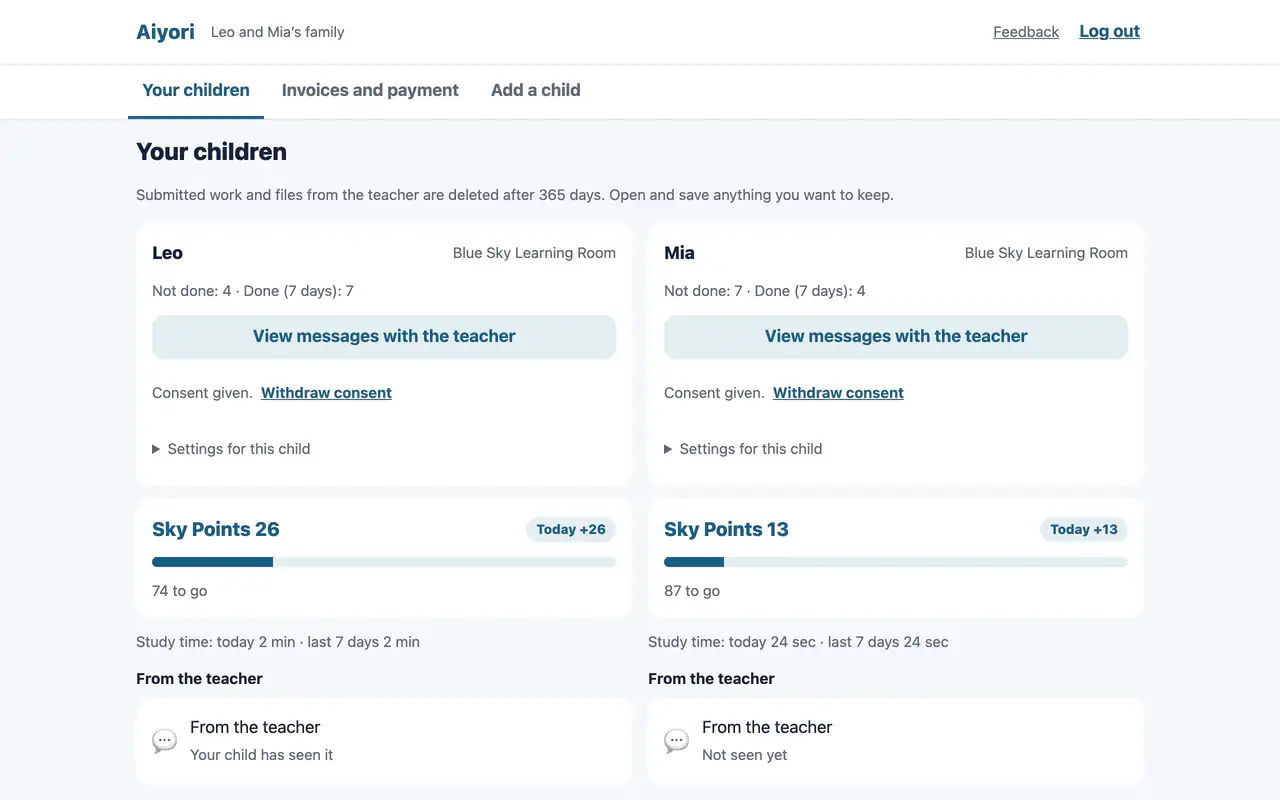
Your children
Web & appFor each child, shows the number not done, the number done in the last 7 days, points and study time (today and the last 7 days). Upcoming lessons, overdue items, items not done and items done are listed too. For a set, it shows how many of its items are finished.
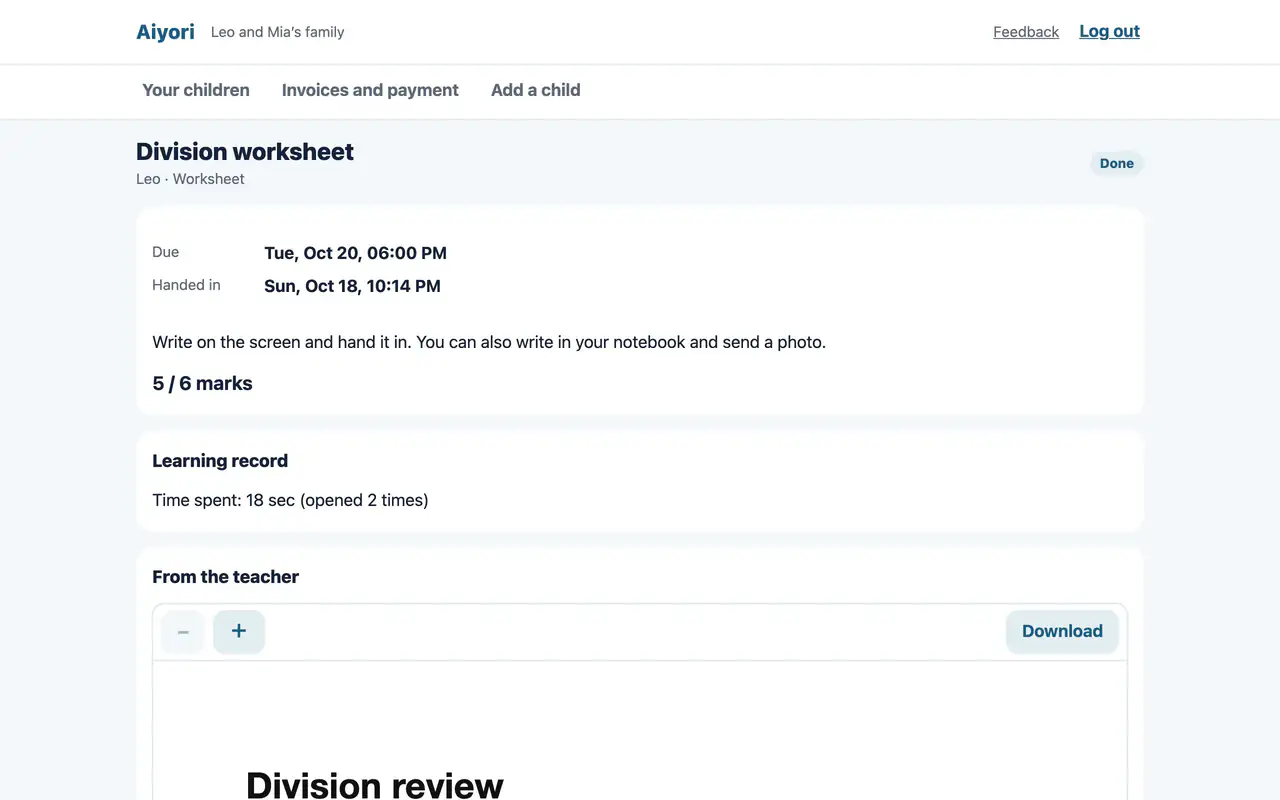
Assignment details
Web & appSee the submission, the score, the teacher’s comment and red-pen marks, the questions and your child’s answers, and the learning record.
View only. Nothing can be changed.
From the teacher
Web & appGuardians can also see the voice and video messages the teacher sent to the child. You can see whether the child has played them, too.
One email a day
Web & appA summary of the day is emailed to guardians in the evening and to teachers in the morning. It is sent only on days when there is something to report.
Families can read every message
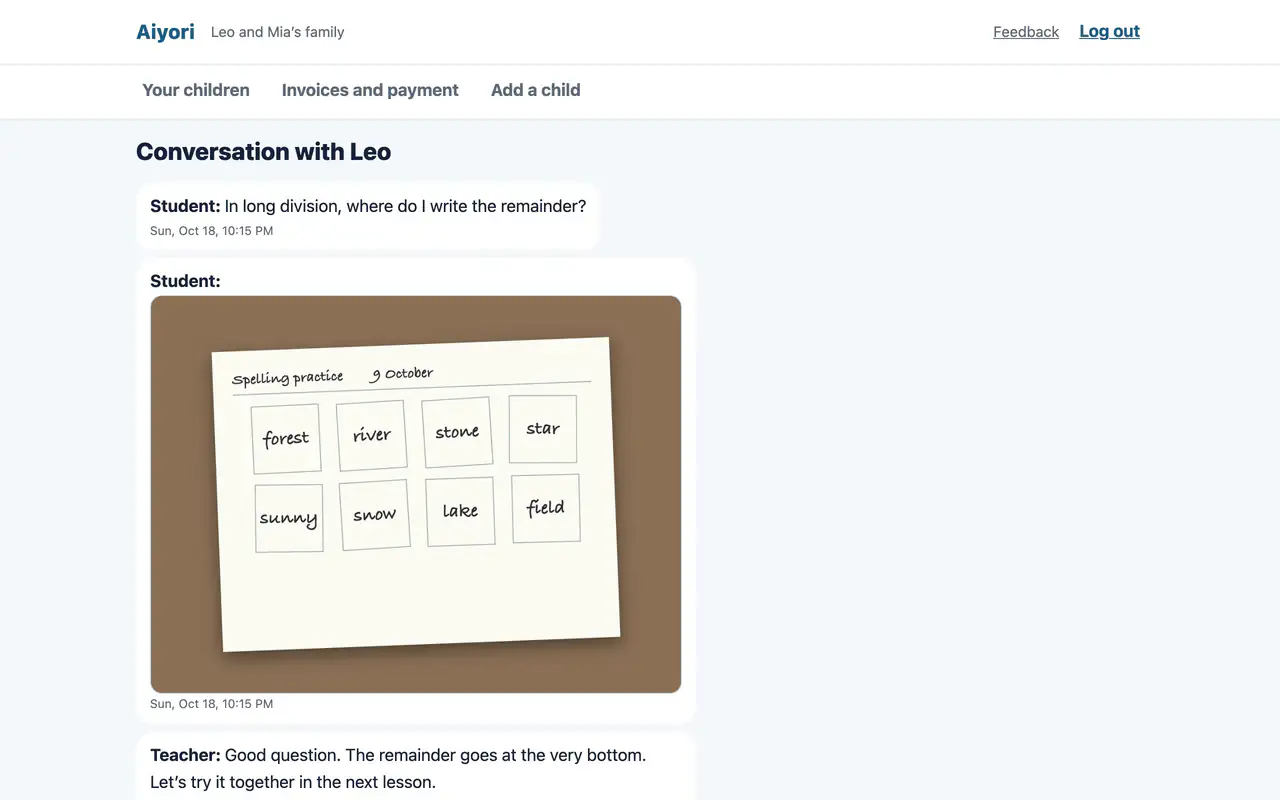
View messages with the teacher
Web & appRead all of the messages between your child and the teacher.
Guardians cannot write in the messages.
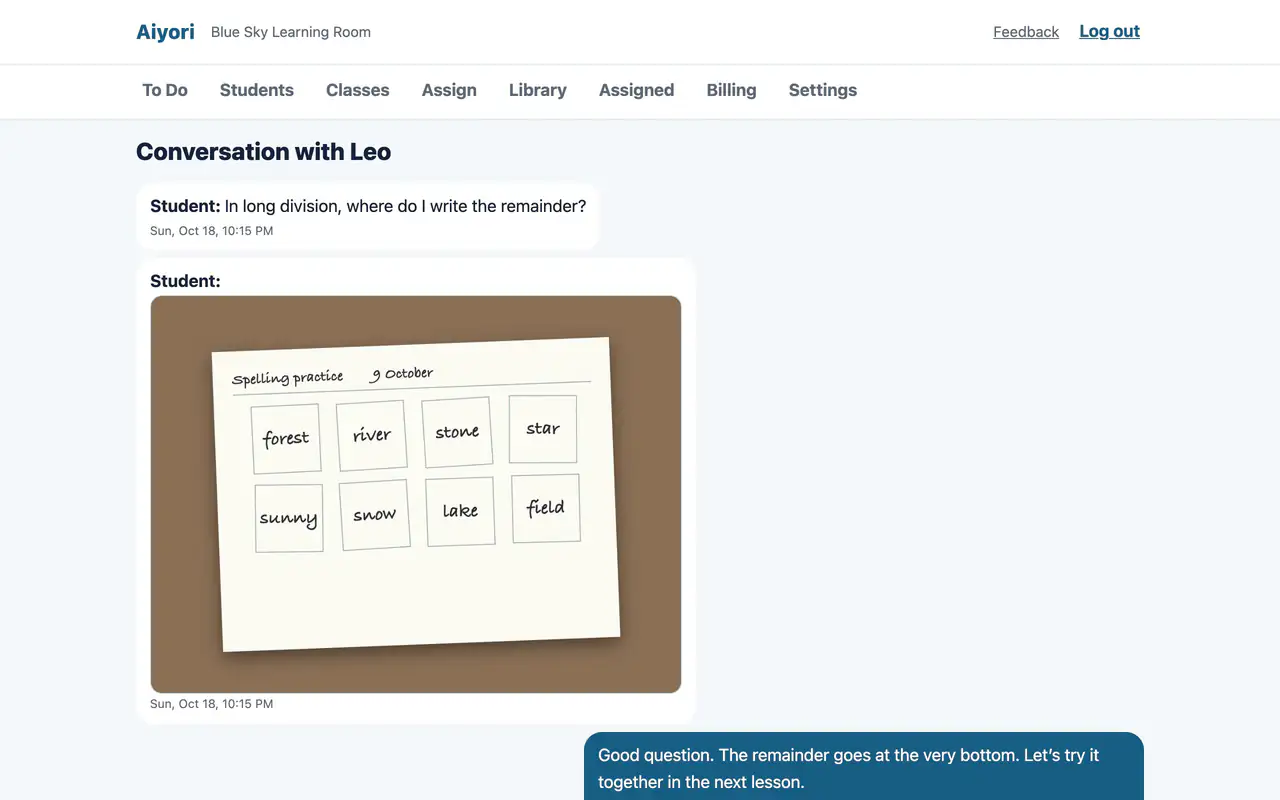
One-to-one messages
Web & appExchange text, voice, video and photos with each student. Guardians can read all of those messages.
Students under 16 cannot exchange messages until guardian consent is recorded. Nobody can write while a guardian has messages turned off, either.
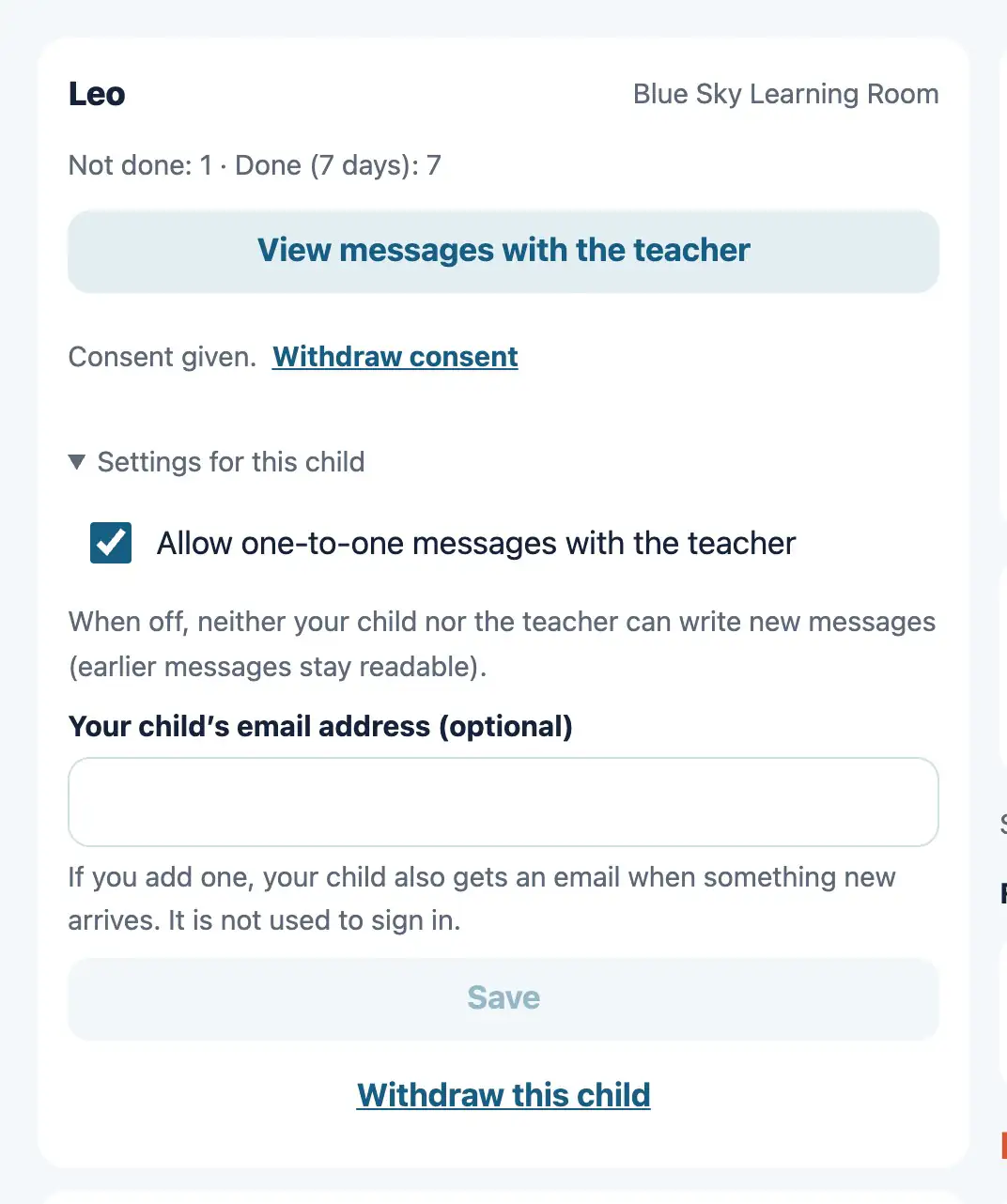
Turn off messages with the teacher
Web & appA guardian can turn off one-to-one messages between the child and the teacher. While they are off, neither the child nor the teacher can write new messages.
Earlier messages can still be read.
A reminder before live lessons
Alarm before a lesson
AppAn alarm sounds on the guardian’s device 10 minutes before your child’s live lesson starts. When brothers and sisters have the same lesson, it sounds once.
On iOS 26 or later it is an alarm. On earlier versions it is a notification.
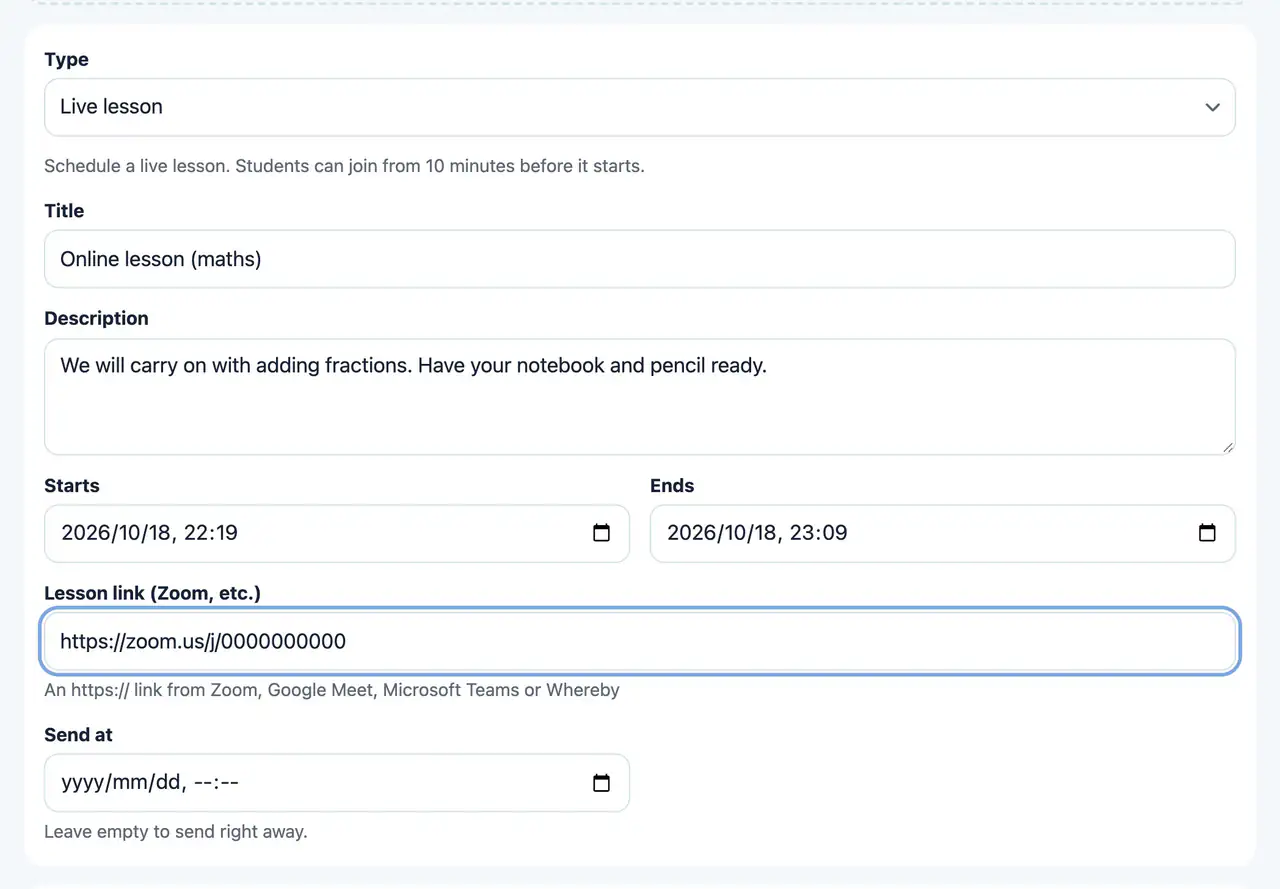
Live lesson
Web & appHand out the start and end times of a lesson and its Zoom or Google Meet link. It appears in the student’s “Do now”, and they can join from 10 minutes before the start.
How much of a video was played
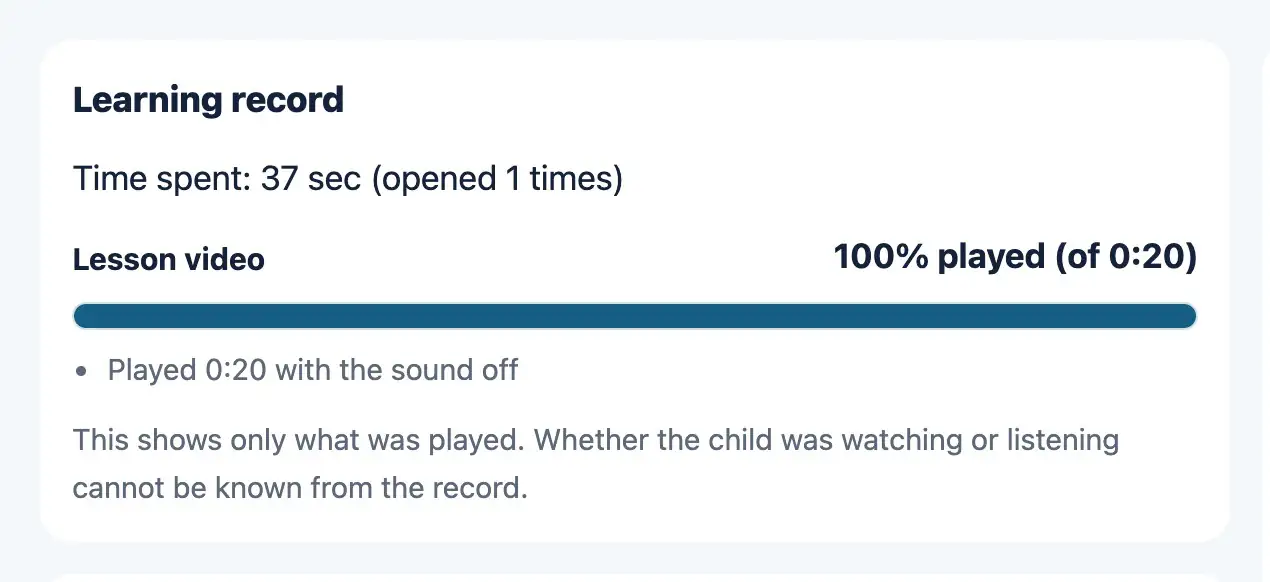
Learning record
Web & appFor videos and audio, shows the share that was played, the parts not played, the number of skips ahead, the time played with the sound off, the number of times the student left the screen, and the time spent.
This shows only what was played. Whether the student was watching or listening cannot be known from the record.
Invite parents or guardians
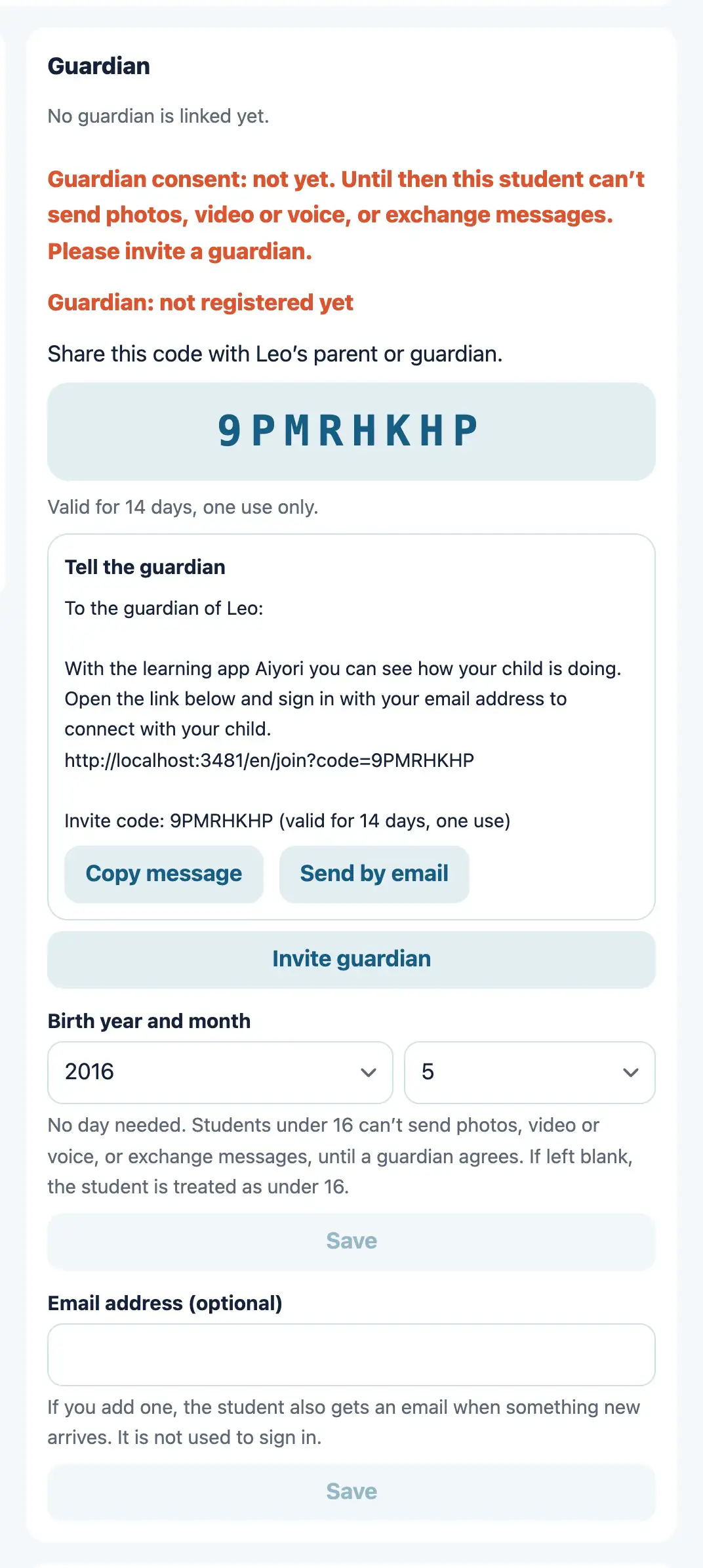
Invite a guardian
Web & appCreate an invite code for a guardian. When the guardian enters the code, they are linked to the child.
The code is valid for 14 days and can be used once.
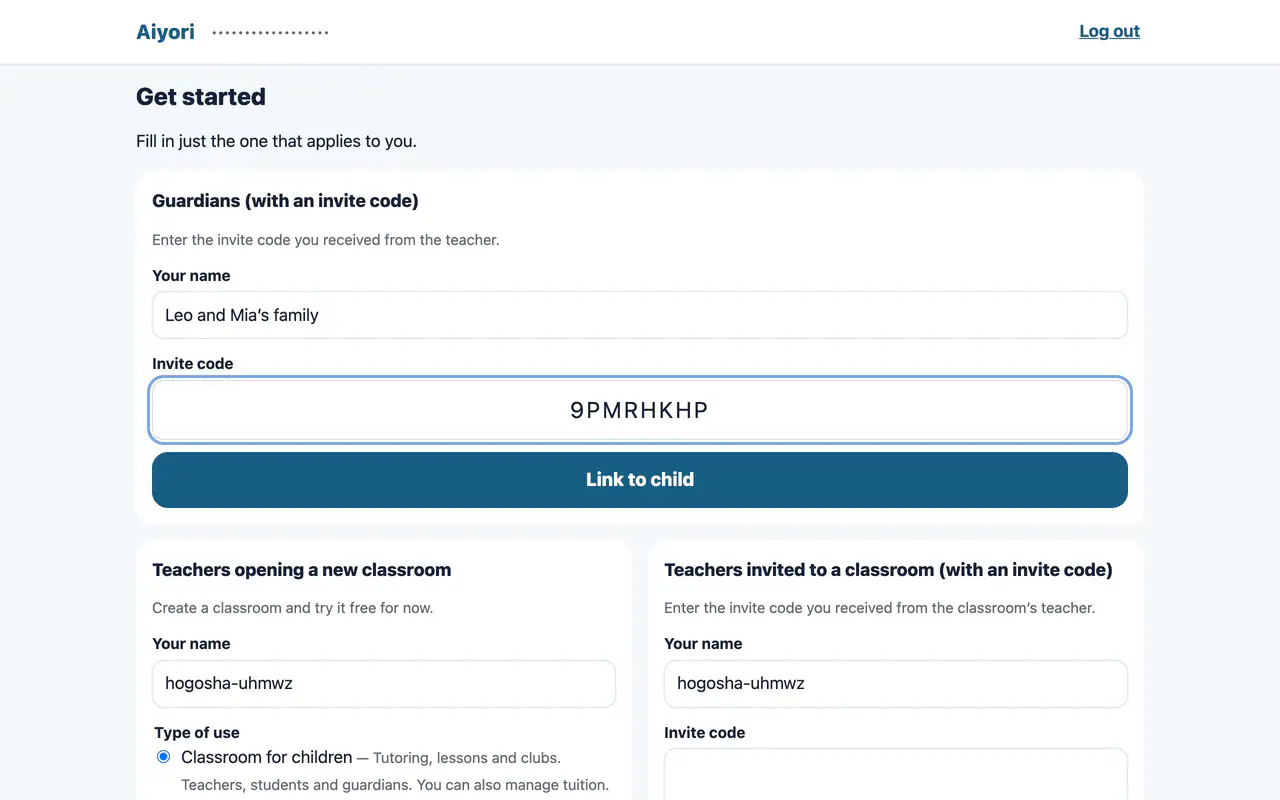
Link to your child
Web & appEnter the invite code you received from the teacher to be linked to your child. Brothers and sisters can be seen from the same account.
Start free
Free for 30 days after you create the classroom (organization). You don’t need to add a payment method during the trial.