
Hand out training videos, quizzes, handouts and role-plays, and keep a record of who finished what, and when. Run your in-house training on the same education platform.
You use it as a “Workplace training” organization, separate from the one for tutoring schools and classrooms. There are no guardian or tuition features: the screens are for trainers and learners only. The contract is also under terms for businesses.
What you can do
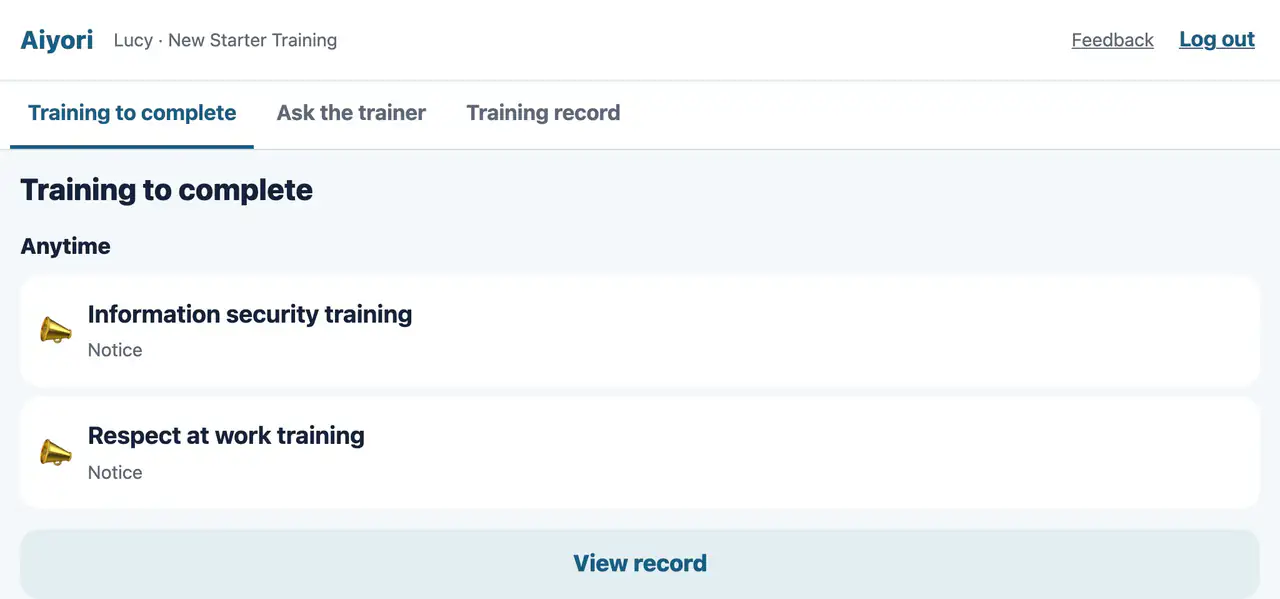
- Training videos can be set to block skipping ahead, speeding up and playing with the sound off. When learners watch to the end, a quiz appears.
- Writing on handouts, handing in photos, voice role-plays (phone handling, customer service, languages), surveys and session sign-ups.
- Keep training in the library and assign it as often as you like to new joiners and groups. You can also build courses that hand out one item at a time on set days of the week.
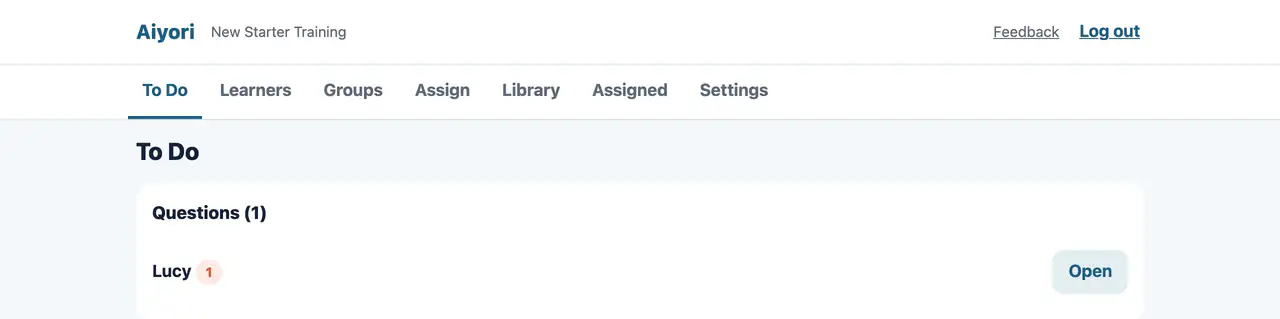
- Deadlines and reminders. Learners who have not finished, and questions for trainers, are gathered on the trainer’s screen.
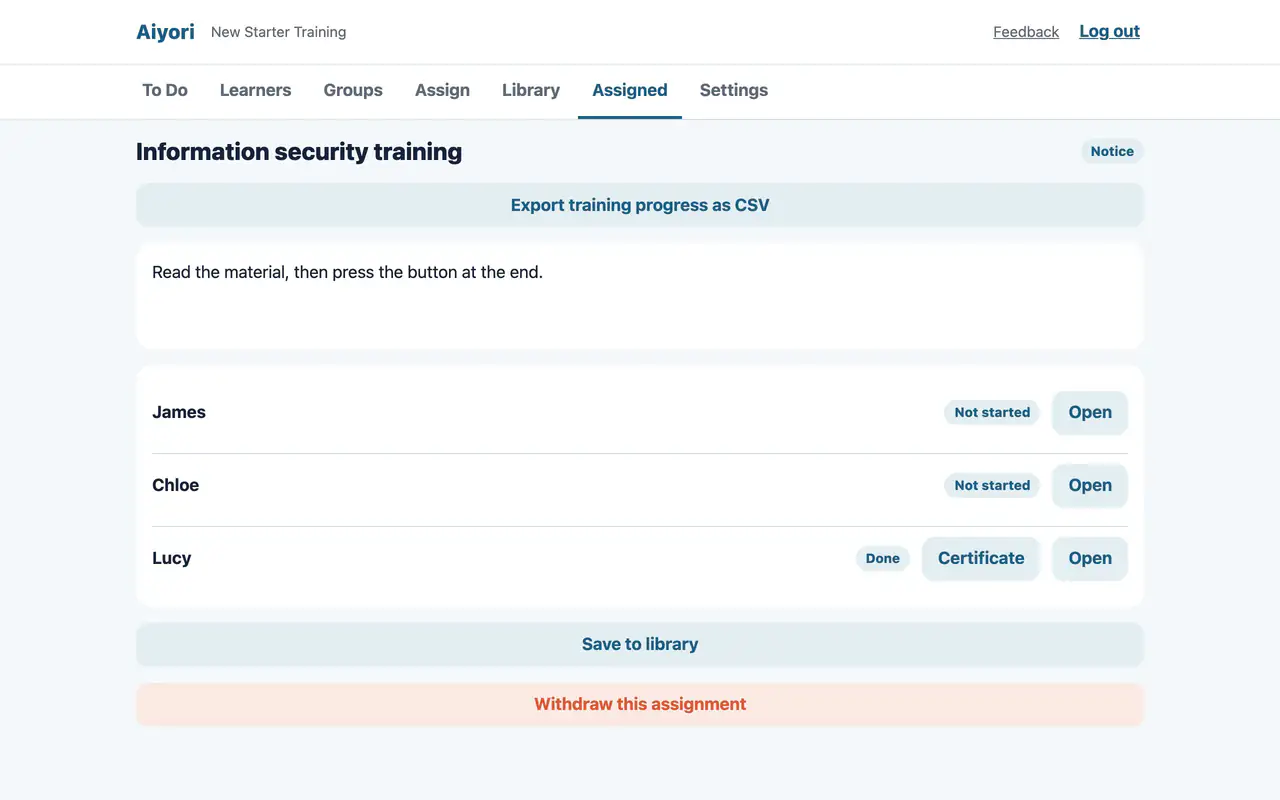
- Export training status as CSV and keep it as the attendance record for mandatory and compliance training.
- Hand out the same training again on the same date every year, to the people enrolled at that time. Earlier years’ records stay.
- Issue a certificate to anyone who finishes every item a course sent them, once the whole course has been handed out.
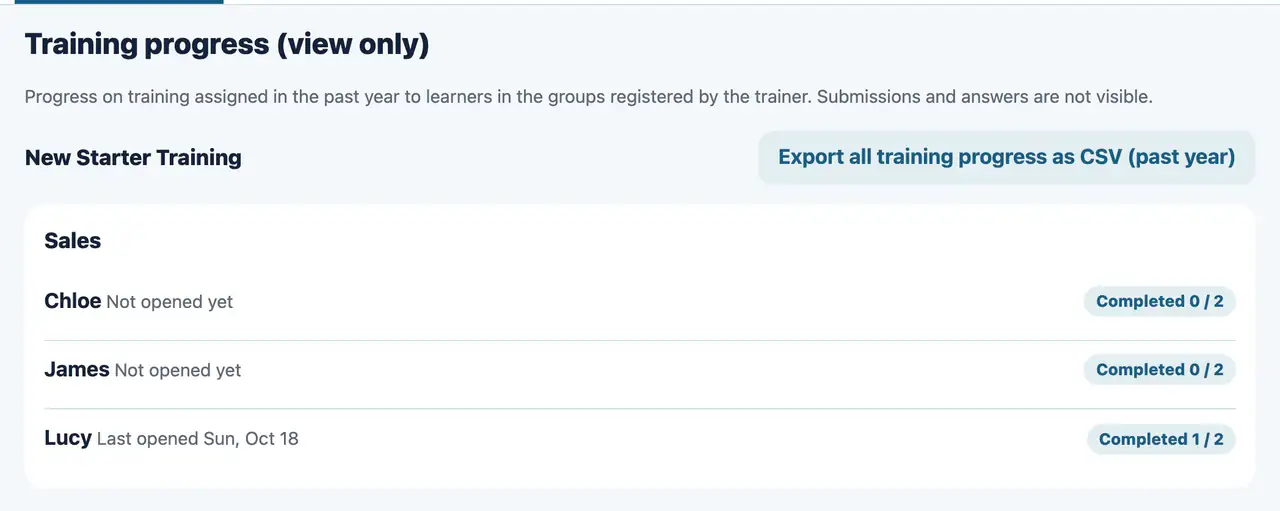
- You can add view-only managers. A manager sees only the progress of learners in the groups they may see, not submissions or answers.
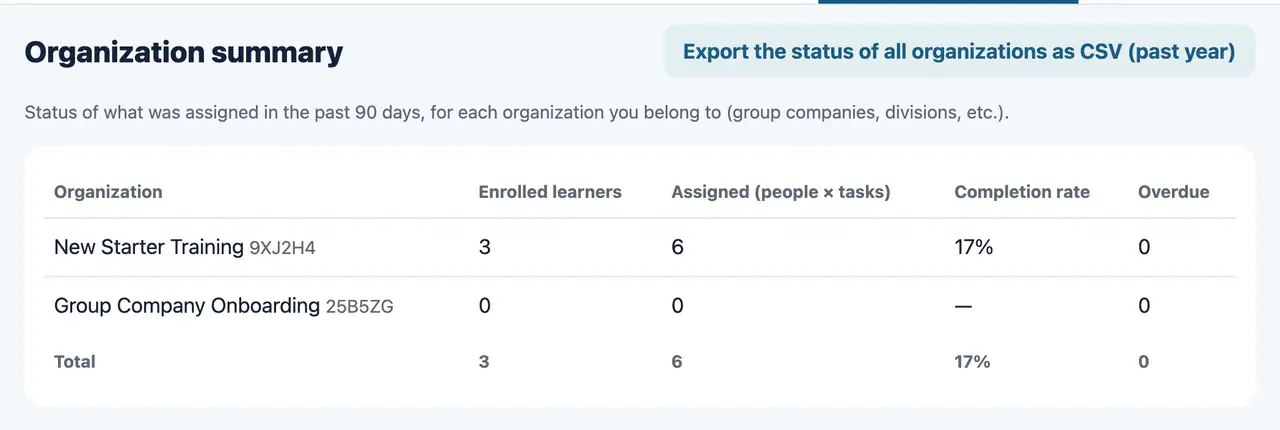
- Even with separate organizations for group companies or divisions, trainers can compare the training status of each organization in “Organization summary”, and export it as CSV.
- Works in the browser on computers, tablets and smartphones. The iPhone and iPad app is available on the App Store.
Employee accounts
- Bulk registration
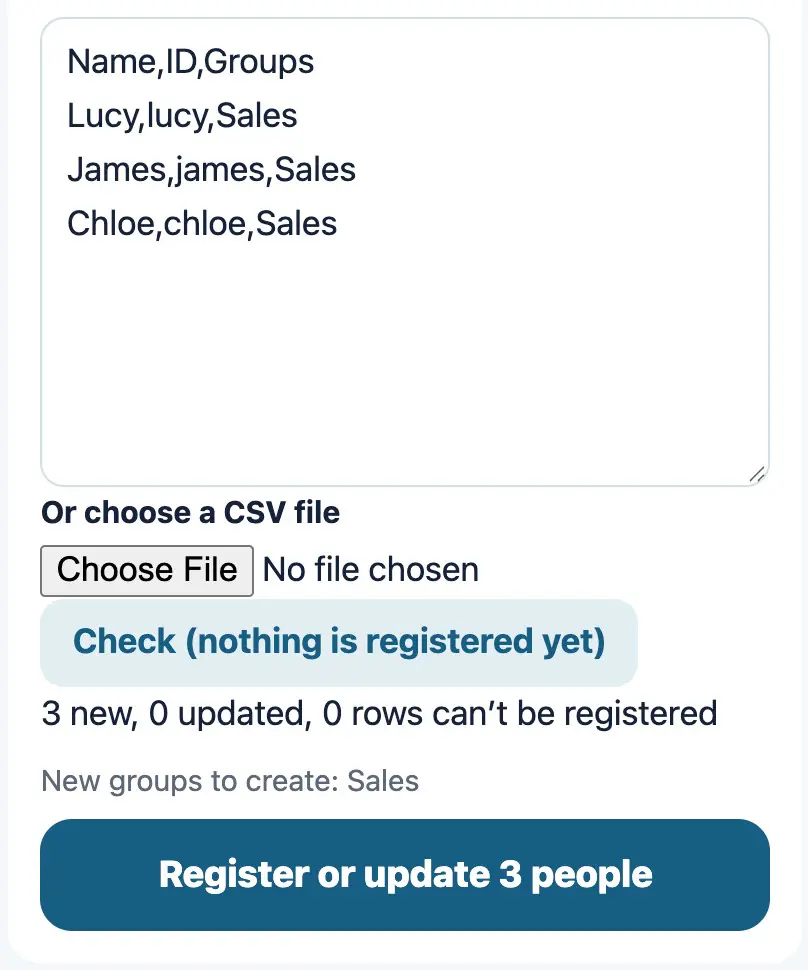
- Paste a table from your HR system or spreadsheet, or choose a CSV file, to register everyone at once. People already registered are matched by employee number or email address and updated.
- SSO
- Learners can log in with their company account (any service that supports OpenID Connect, such as Microsoft Entra ID, Google Workspace or Okta). You can also turn off PIN login and allow SSO only.
- SCIM
- Joiners, transfers and leavers are reflected automatically from your company’s identity provider. Groups such as departments come across as they are.
- People who have left
- Once they are disabled in your company’s identity provider, they can no longer log in. Their training records are kept.
Pricing
- Fee
- ¥400 per person per month (tax included). For organizations outside Japan, it is US$2.99 per person per month (tax included). Trainers and active learners are counted. Suspended learners are not counted.
- Free trial
- Free for 30 days after you create the organization.
- Payment
- Credit card (billed monthly in arrears).
- Invoice payment
- Organizations with 1,000 or more active learners can also choose to pay by invoice (bank transfer, due 30 days from the invoice date). Please contact us.
Data and security
- Where data is stored
- In Japan (the Amazon Web Services Tokyo Region).
- Encryption
- Data is encrypted in transit and at rest. Names and email addresses are additionally encrypted field by field.
- Separation by organization
- Each organization’s data is kept separate and cannot be seen by other organizations.
- Files
- Videos, handouts and submissions are deleted automatically 365 days after upload. Training records are kept.
Contract
- Based on the Terms for Workplace Training and the Data Processing Agreement. These are separate from the Terms of Use for tutoring schools and classrooms.
- When creating the organization, the administrator agrees on behalf of the company.
- The contract runs month to month, and you can close the organization at any time. There is no cancellation fee.
How to start
- 1. Create an organization
- Log in with your email address and choose “Workplace training” in “Get started”.
- 2. Add learners
- Register them in bulk from a table, or connect SSO and SCIM.
- 3. Assign training
- Put training in the library and assign it to groups.
- 4. Keep records
- Export training status as CSV.