
With Aiyori, a teacher can sign up alone. Students get in without an email address, and parents or guardians only enter an invite code.
Hand out work and return it. Share online lesson times and links. Bill tuition. A tutor’s whole day runs on one platform.
Start on your own
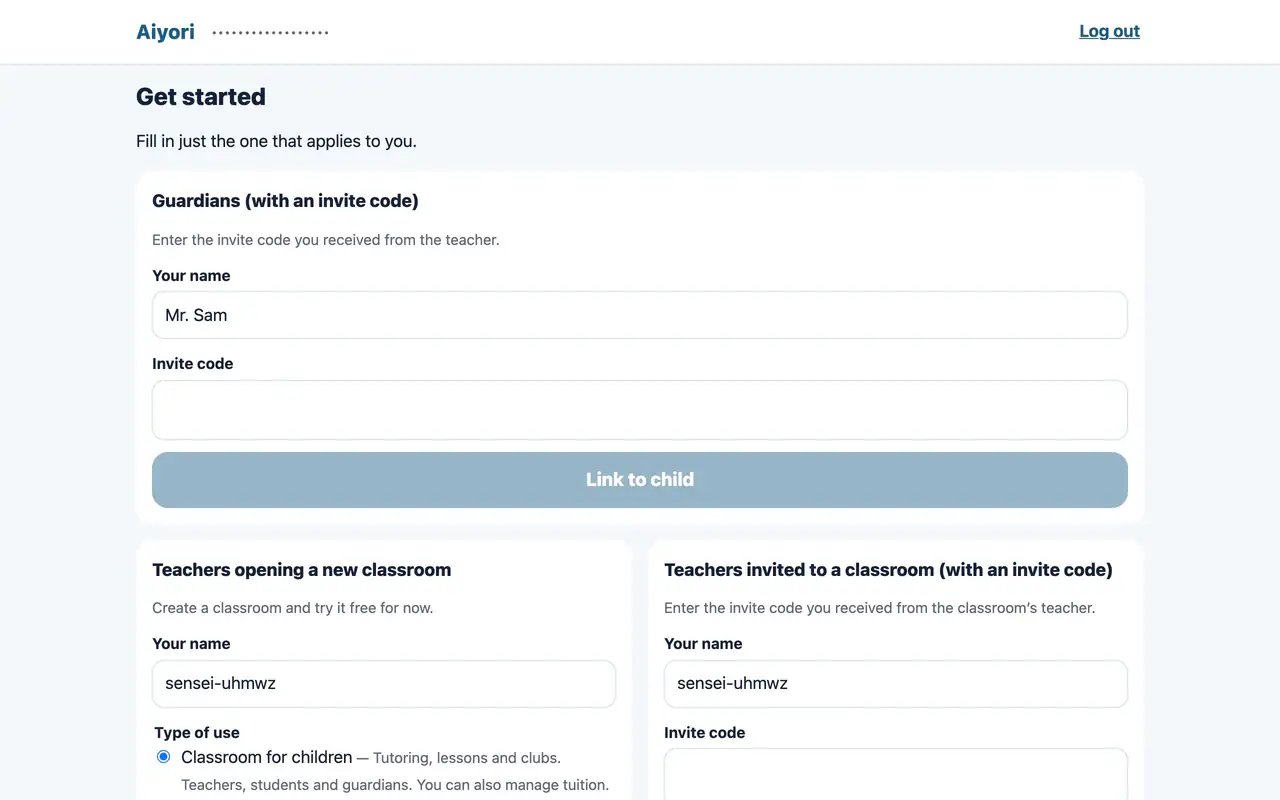
Get started (create a classroom)
Web & appA new teacher creates a classroom by setting its name, country or region, time zone and currency.
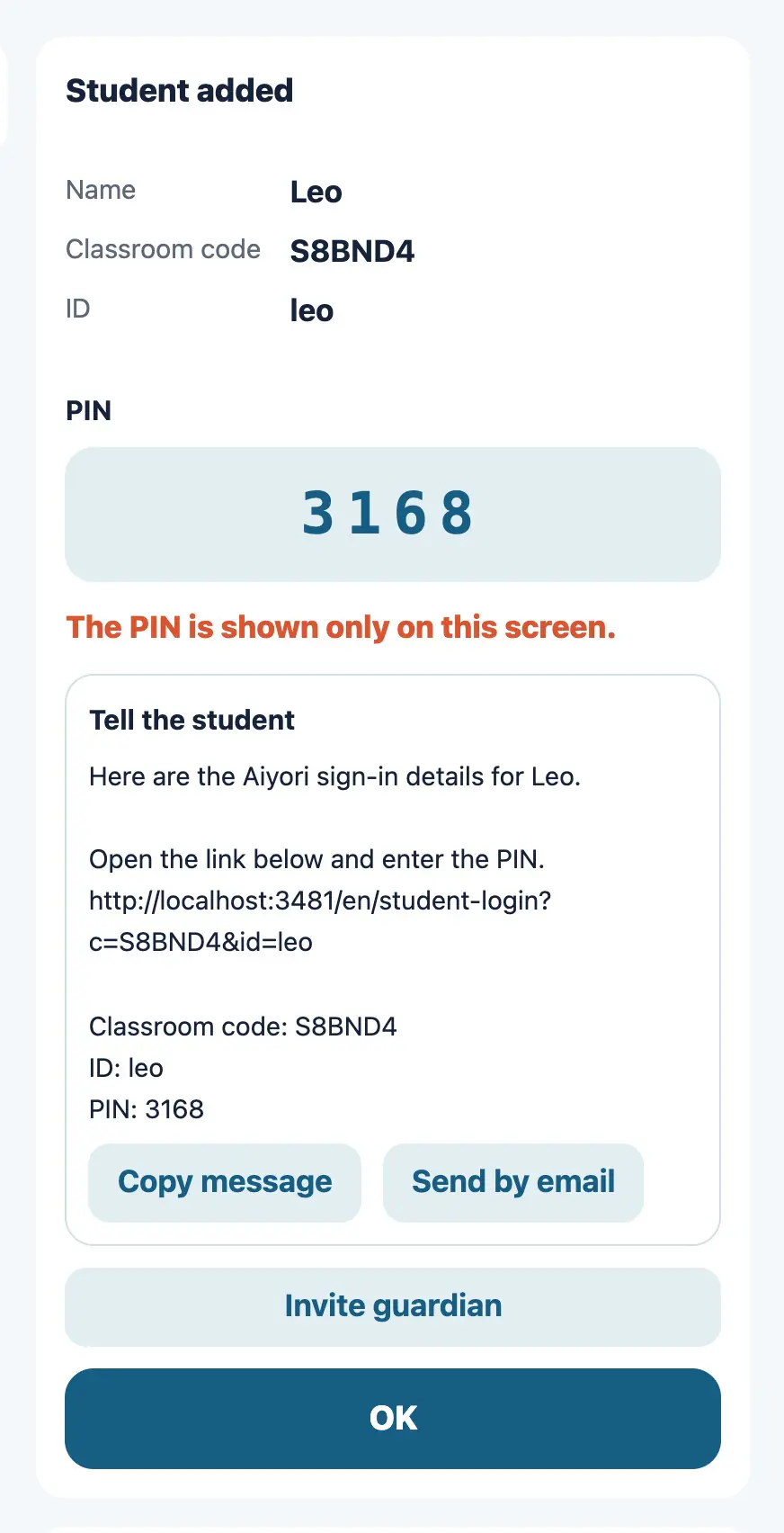
Register a student
Web & appEnter the student’s name, a login ID, and their birth year and month. When you register, the classroom code, ID and PIN are shown.
The PIN is shown only this once. Write it down before you close the screen.
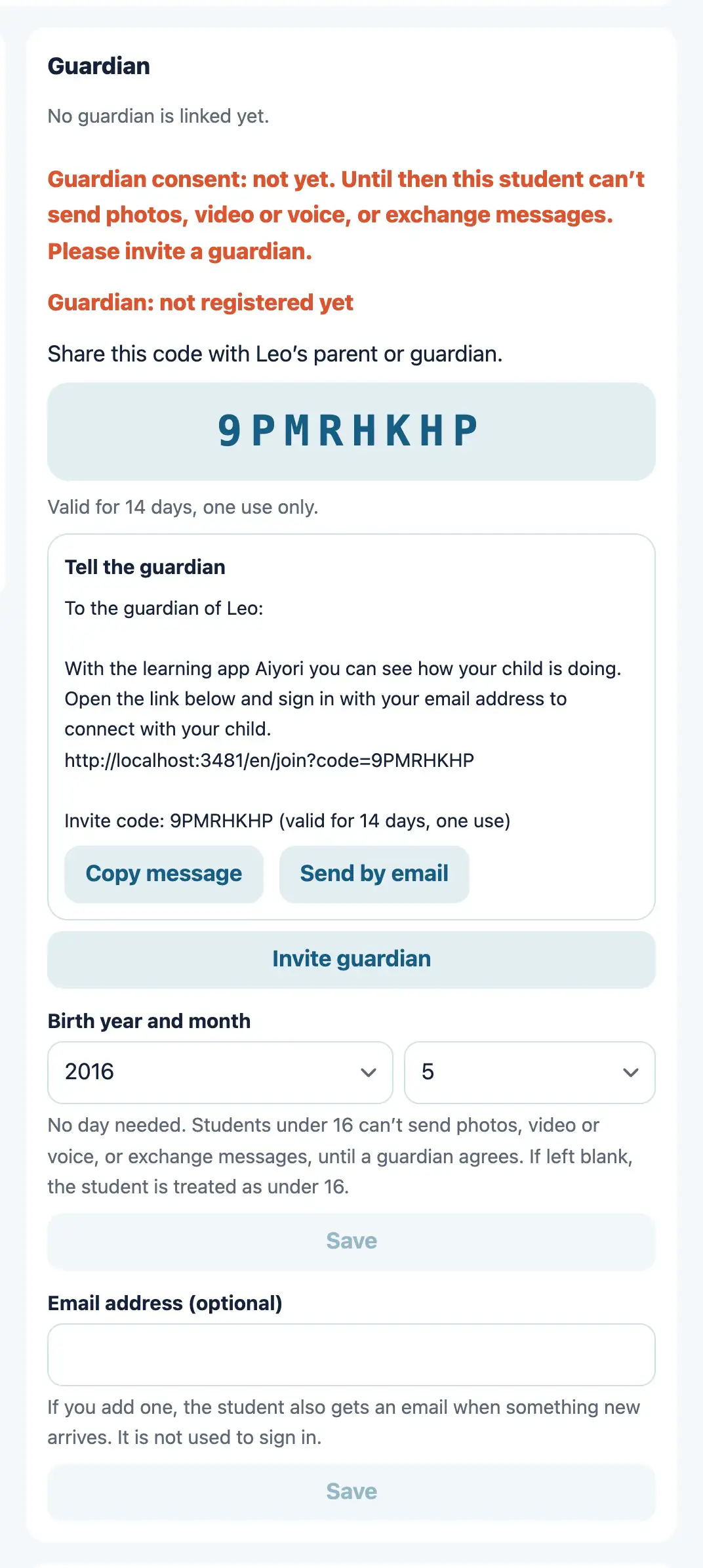
Invite a guardian
Web & appCreate an invite code for a guardian. When the guardian enters the code, they are linked to the child.
The code is valid for 14 days and can be used once.
Hand out and return
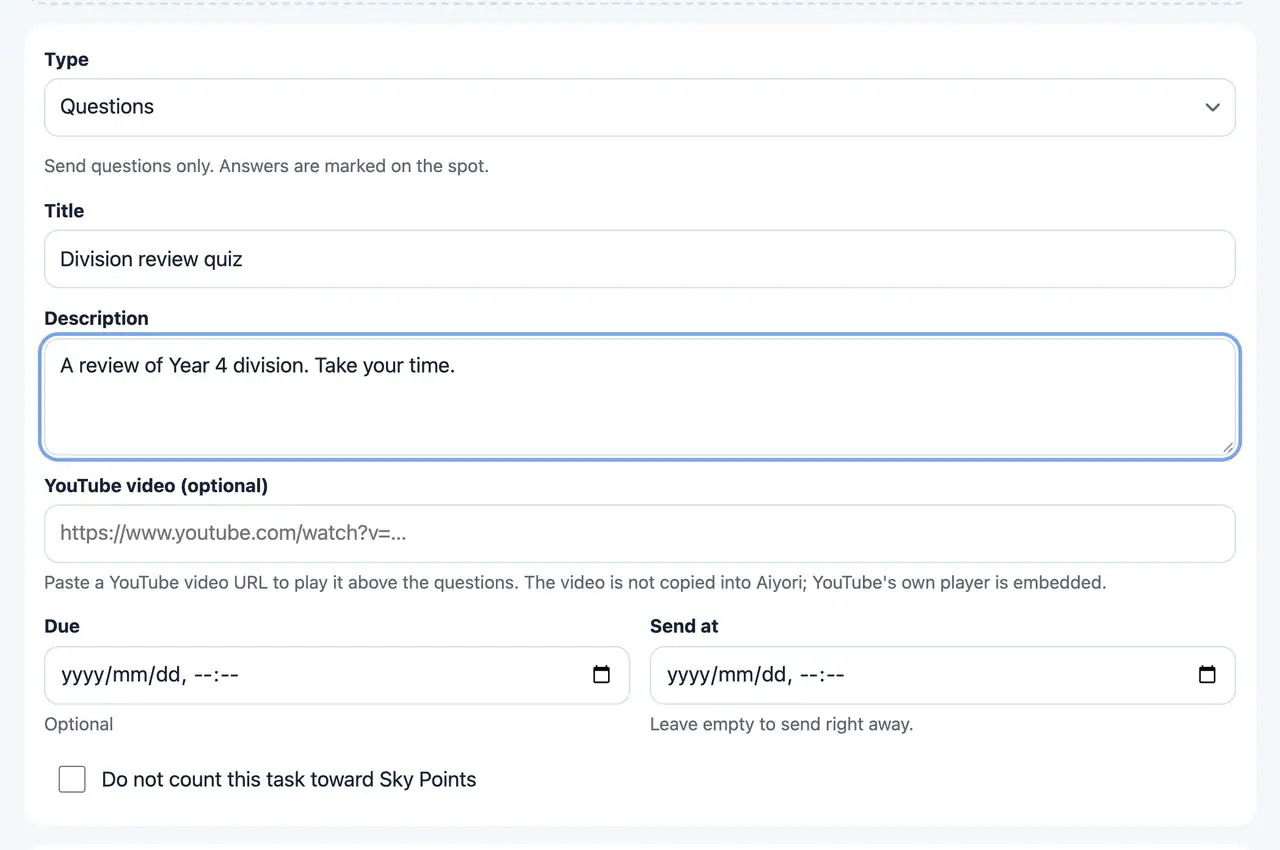
Choose what to hand out
Web & appChoose from 11 types: Questions, Video, Speaking, Word cards, Worksheet, Link, Live lesson, Notice, Choose, Survey and From the teacher.
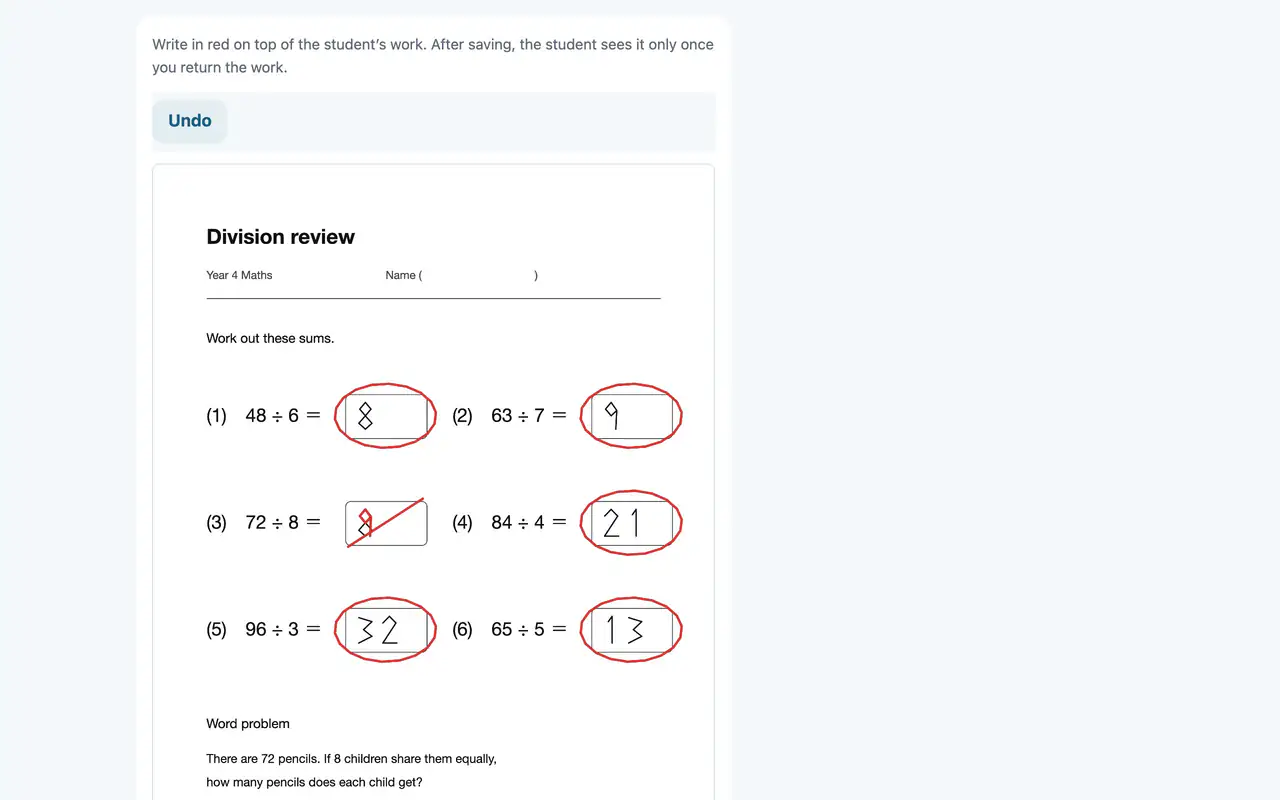
Mark with red pen
Web & appWrite in red directly on the worksheet the student handed in. On iPad, you can write with Apple Pencil.
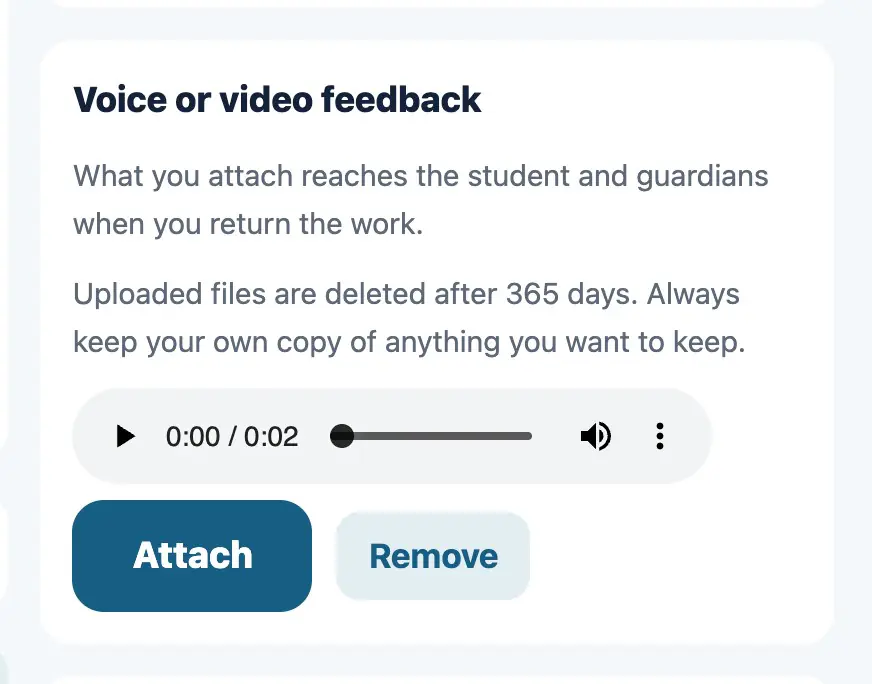
Voice or video feedback
Web & appAttach a voice or video message when you return work. Pronunciation and ways of thinking that are hard to put in writing reach the student as they are.
Online lessons (Zoom, Google Meet)
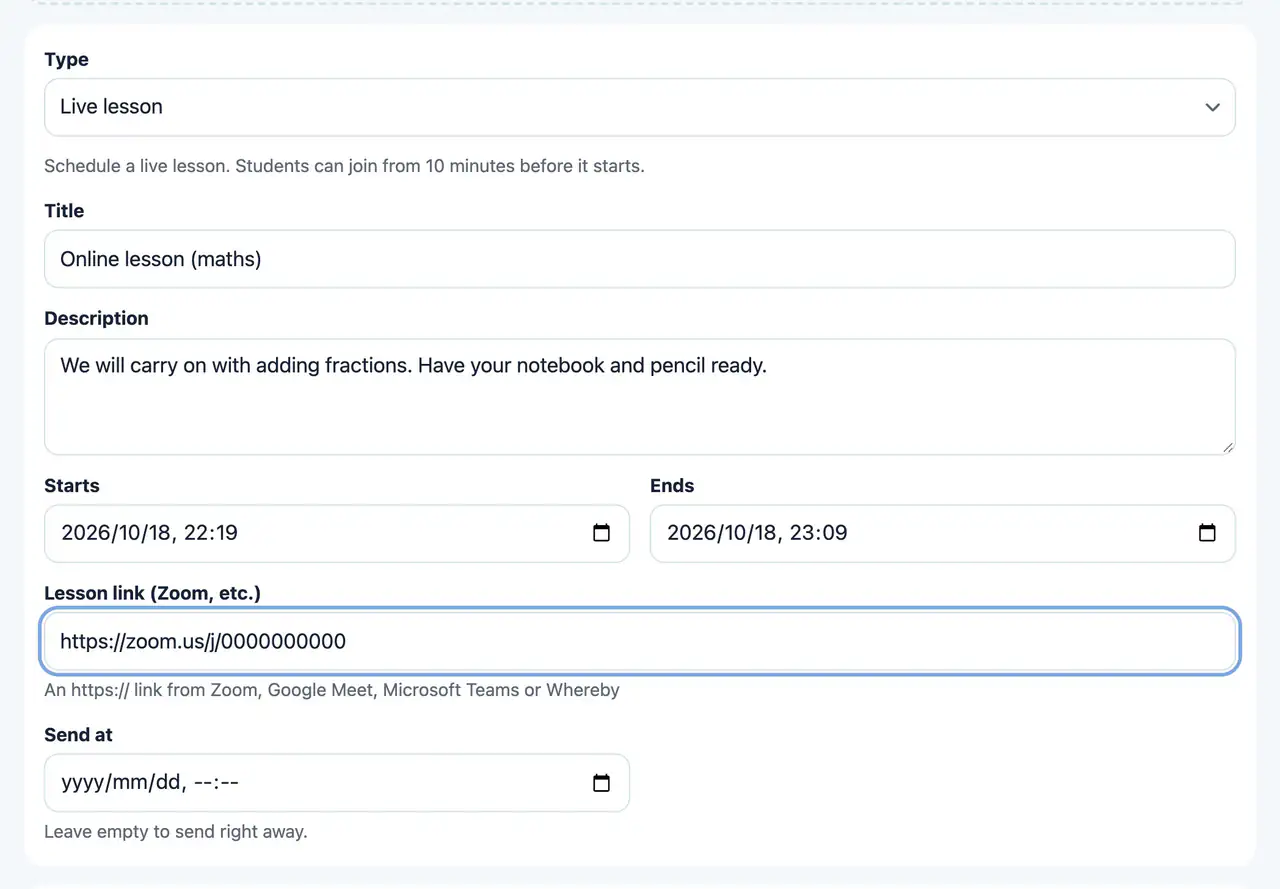
Live lesson
Web & appHand out the start and end times of a lesson and its Zoom or Google Meet link. It appears in the student’s “Do now”, and they can join from 10 minutes before the start.
Zoom, Google Meet, Microsoft Teams and Whereby links can be used. If you record the lesson, hand it out later as a “Video” so that students who were absent can watch it.
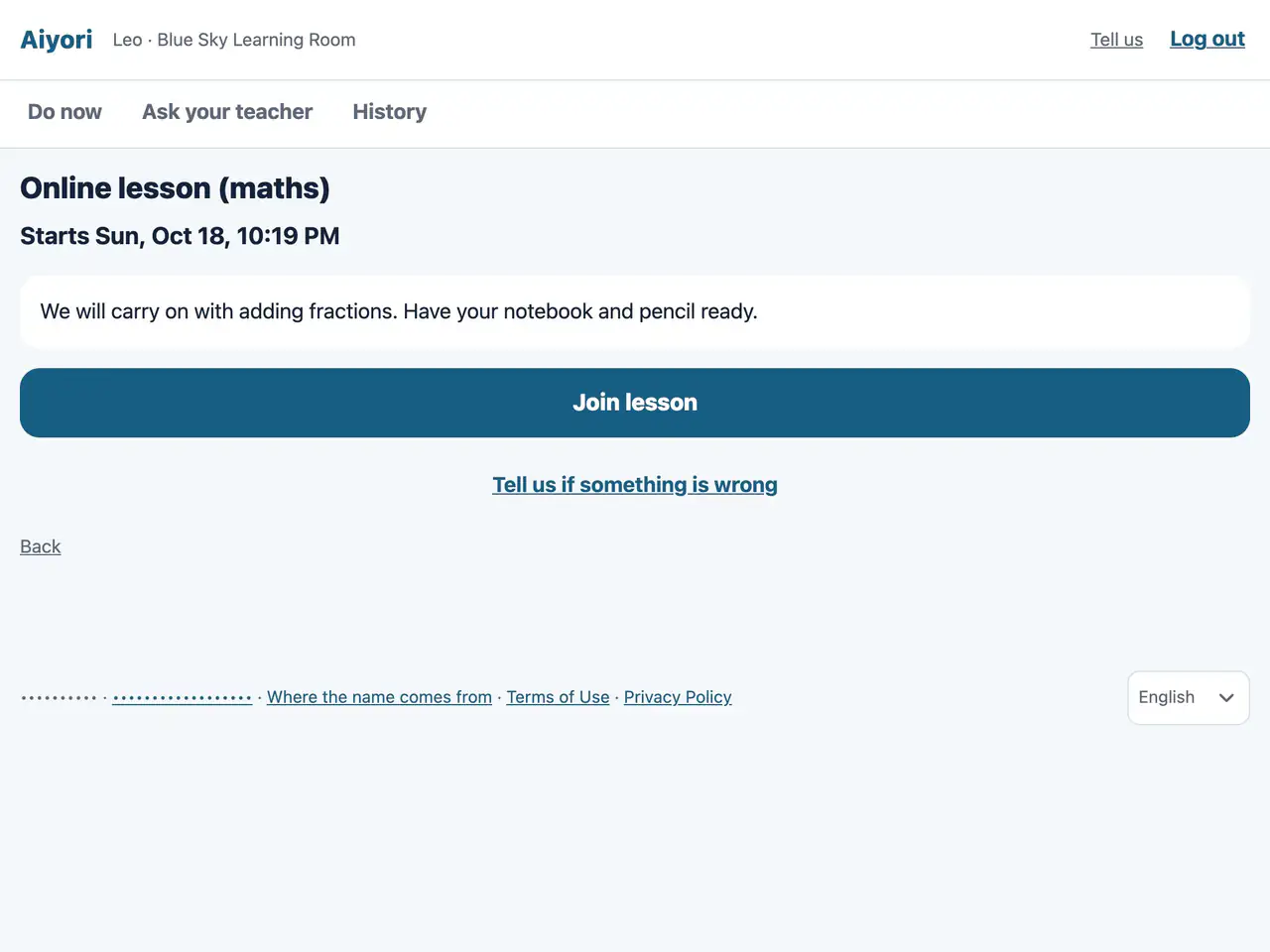
Live lesson
Web & appFrom 10 minutes before the lesson starts, “Join lesson” can be tapped.
Tuition
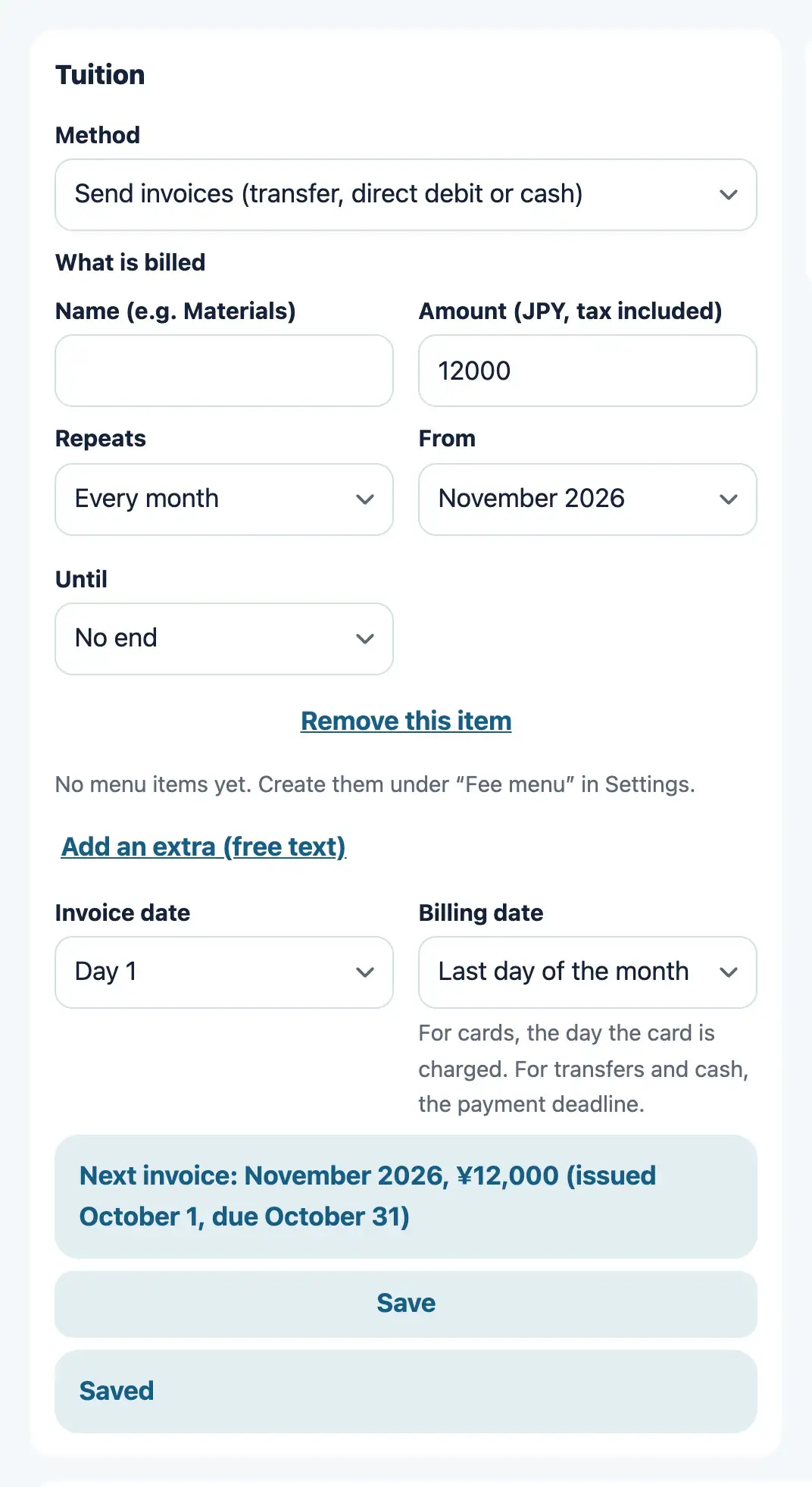
Tuition for each student
WebSet the tuition amount and the billing day for each student. For the method, choose transfer or cash (the teacher confirms payment), or no billing. When an invoice is created, the guardian is told by email.
Card payment is available once you connect your own Stripe account.
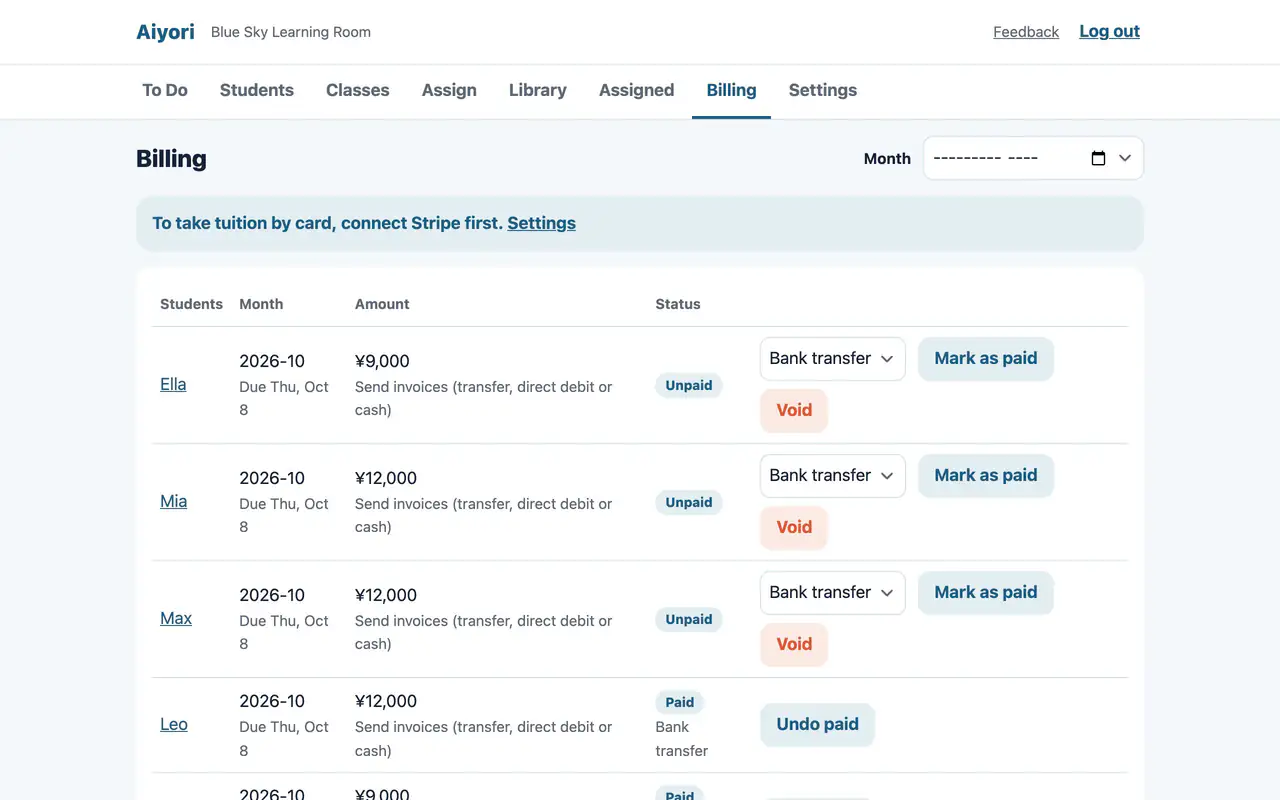
Mark as paid
WebWhen you receive tuition by transfer or in cash, tap “Mark as paid” on that invoice. How it was received (bank transfer, cash or other) is recorded too. The guardian gets a confirmation email.
Example price
- Per person
- ¥400 per month (tax included). Every feature is included.
- 1 teacher, 10 students
- ¥4,400
- Classrooms outside Japan
- US$2.99 per person per month (tax included). People are counted in the same way.
Start free
Free for 30 days after you create the classroom (organization). You don’t need to add a payment method during the trial.