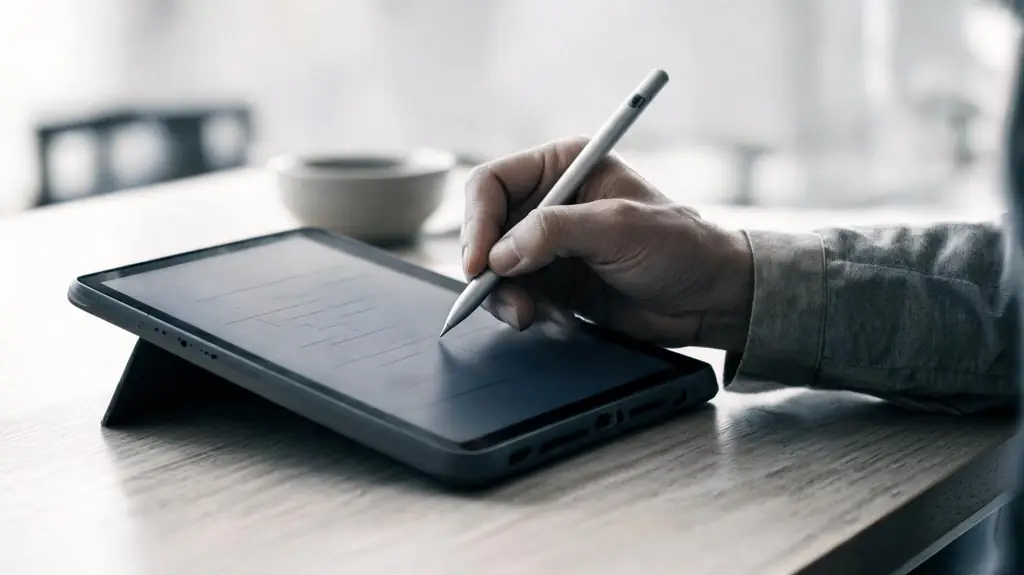
Students write on the screen, or hand in a photo of what they wrote on paper. The teacher marks the submission with a red pen and sends it back with a voice or video message.
You can also ask for a redo. Choice, number and word questions are graded automatically. Families can open what you returned, just as the student does.
Hand in a photo, or write on the screen
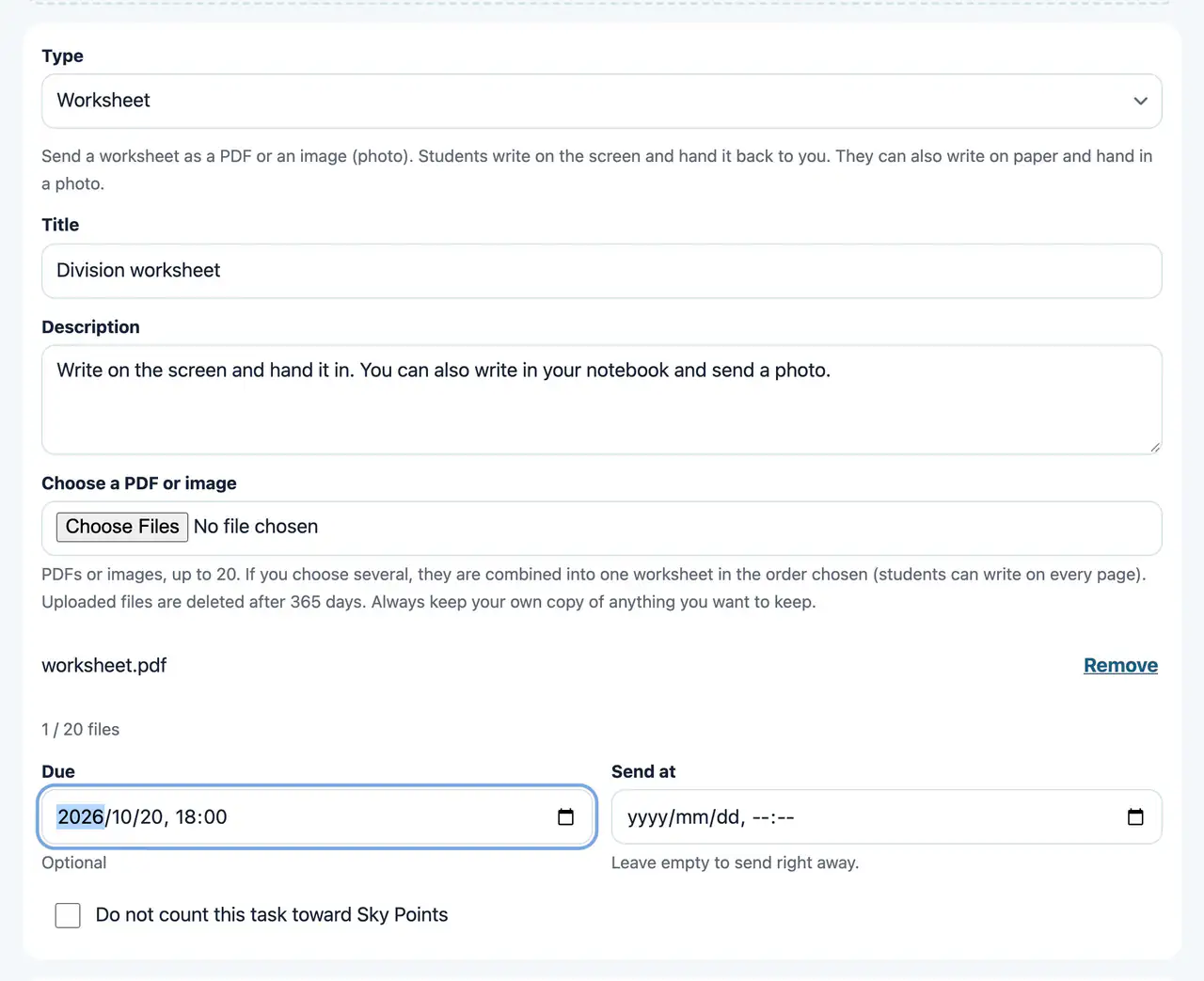
Worksheet
Web & appHand out a PDF worksheet. Students write on the screen, or write on paper and hand in a photo.
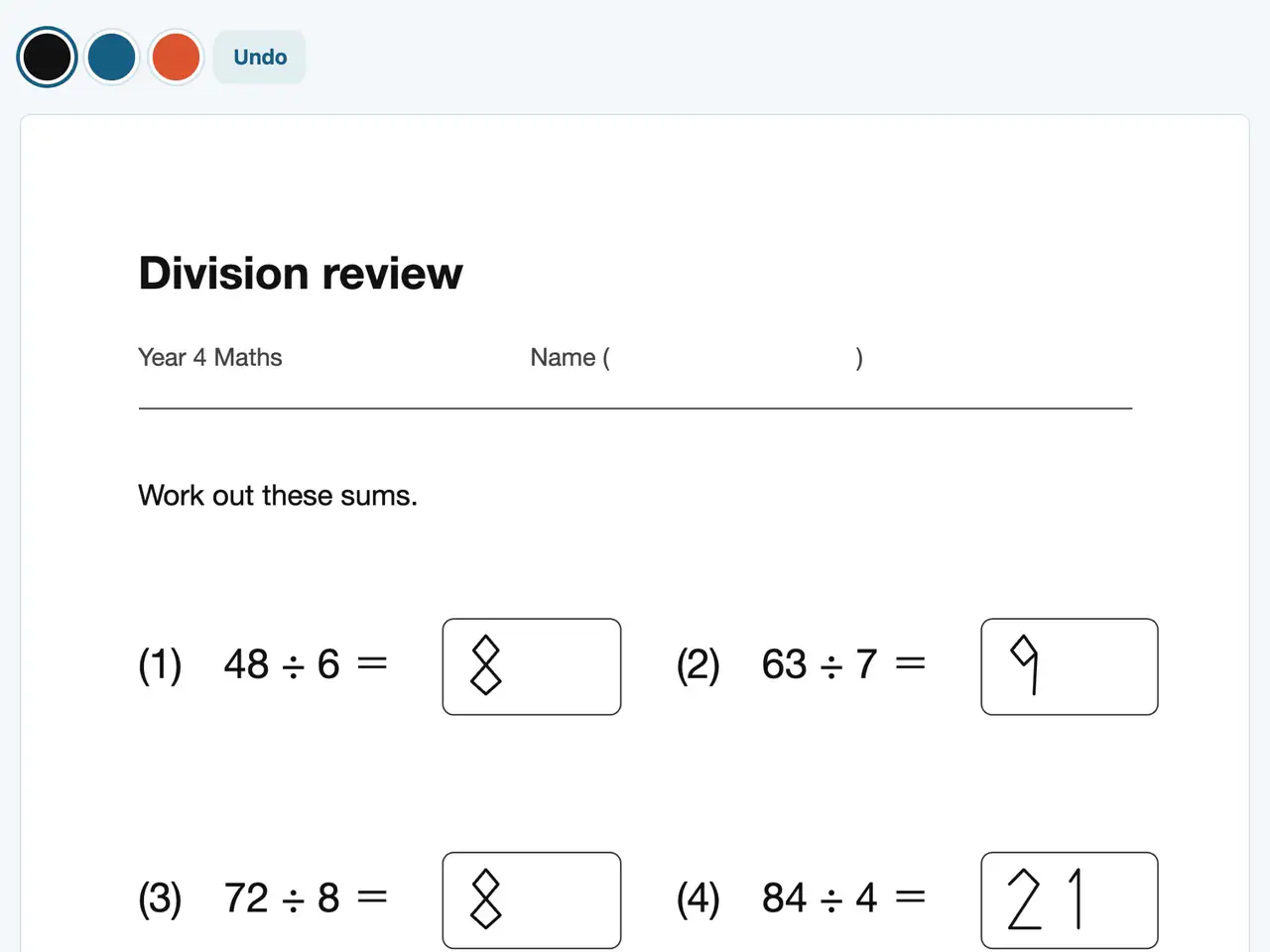
Write on a worksheet
Web & appWrite on the worksheet with a finger or a pen. On iPad, you can use Apple Pencil.
Unfinished writing stays on that device. Continue later from “Keep writing”.
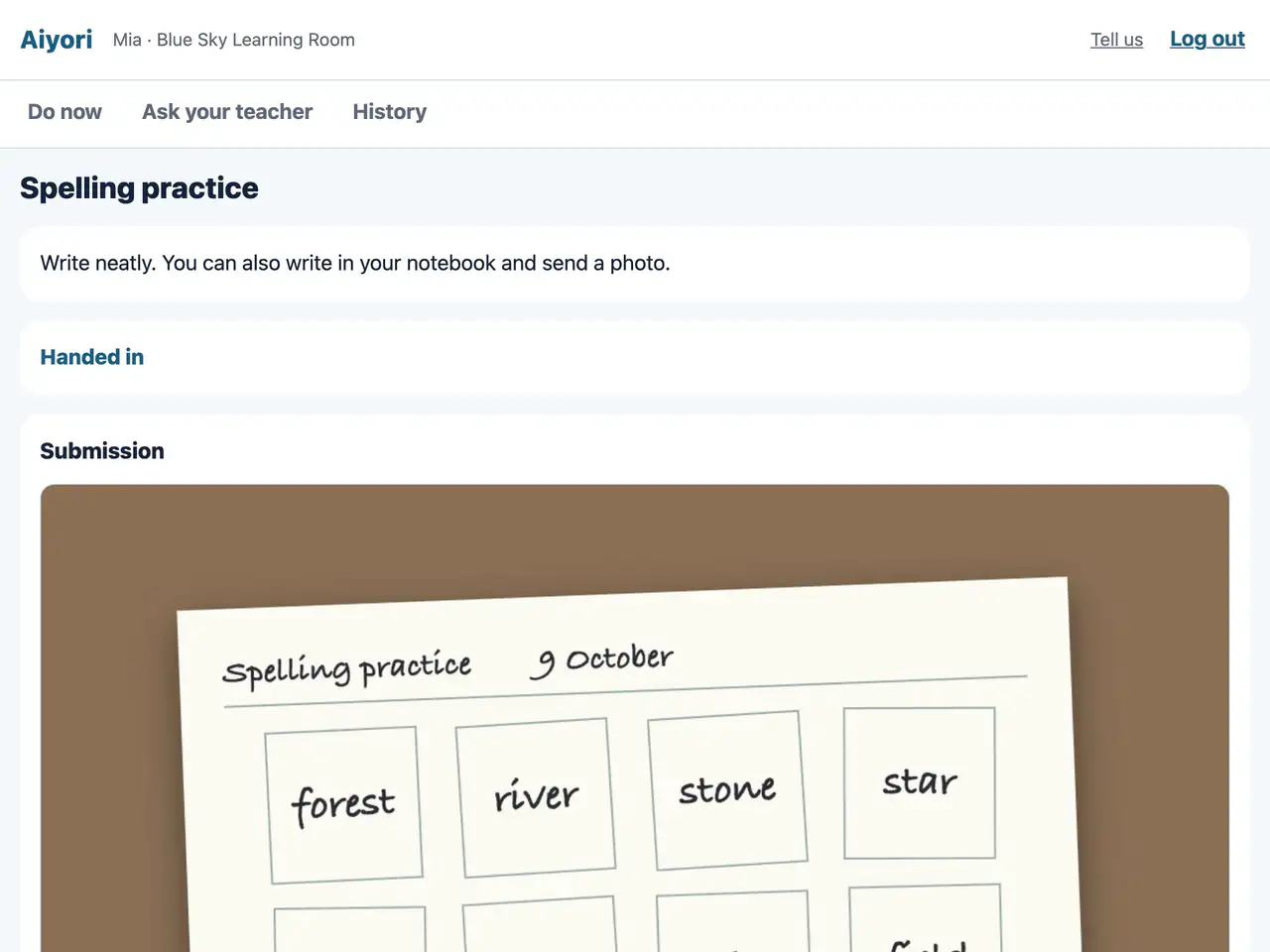
Hand in a photo
Web & appTake a photo of what you wrote on paper and hand it in. You can hand in several photos together.
The iPhone and iPad app finds the edges of the paper automatically and scans it straight.
Return it with red pen, voice or video
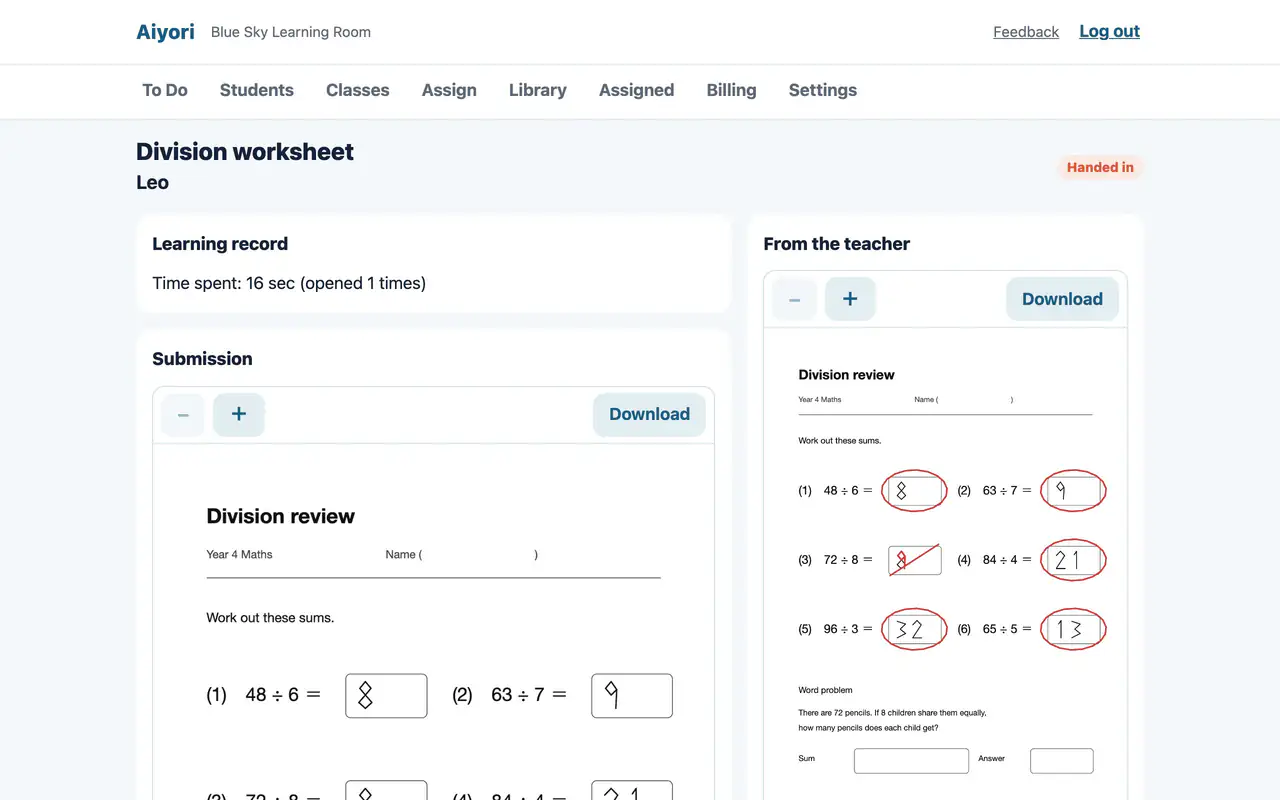
Grade and return
Web & appLook at the submission, add a score and a comment, and return it. Returned work appears under the student’s “Returned” and also reaches guardians.
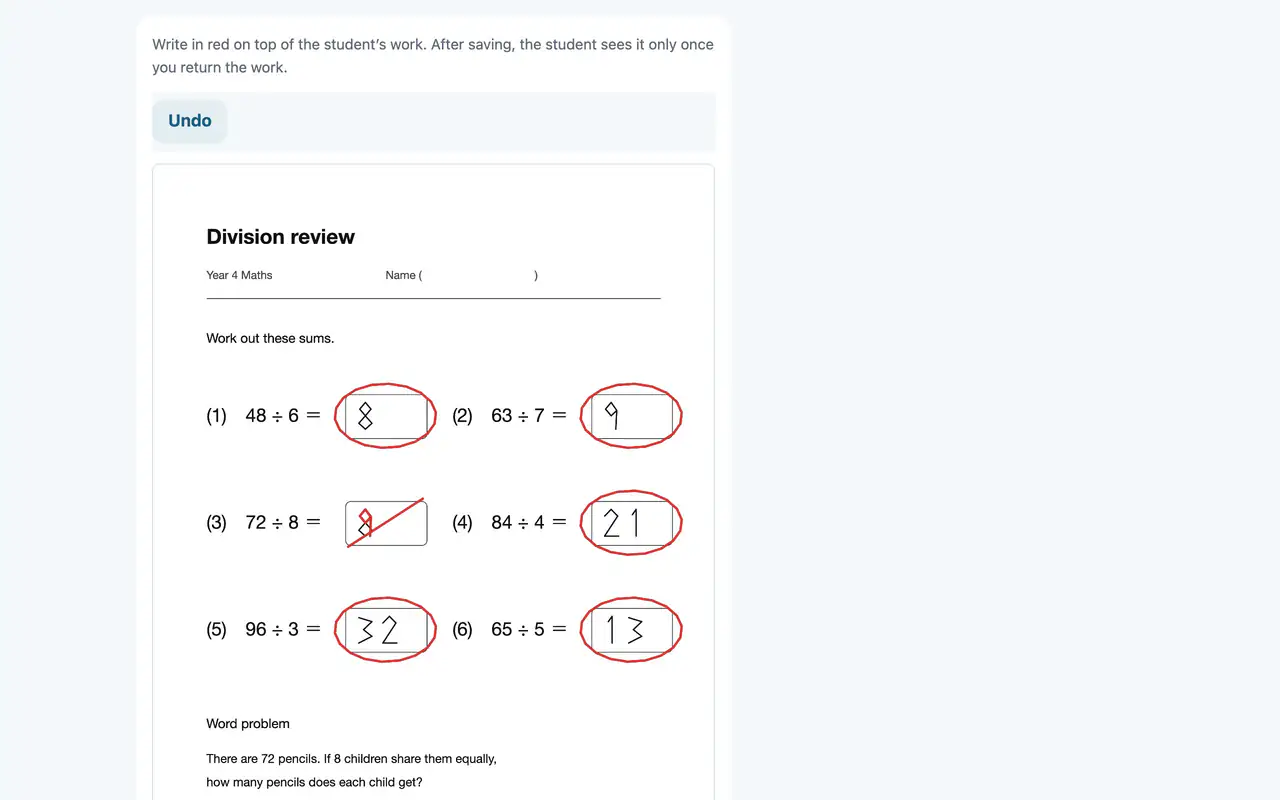
Mark with red pen
Web & appWrite in red directly on the worksheet the student handed in. On iPad, you can write with Apple Pencil.
The student cannot see the red-pen marks until you return the work. On the web, you can mark submissions that were handed in as a PDF.
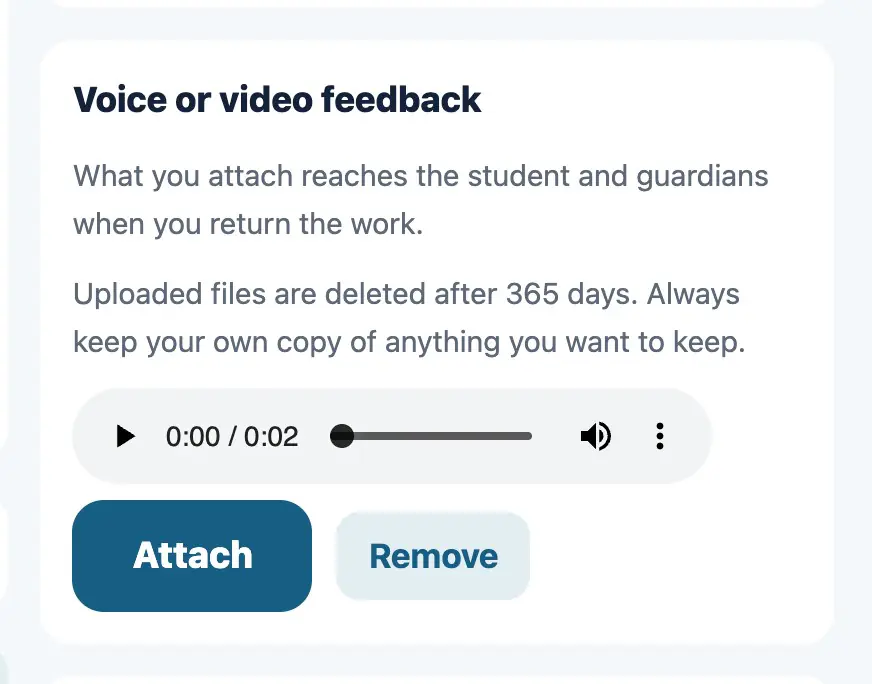
Voice or video feedback
Web & appAttach a voice or video message when you return work. Pronunciation and ways of thinking that are hard to put in writing reach the student as they are.
Ask for a redo
Ask for a redo
Web & appUse this when you want the work handed in again. The student can then hand in the same assignment once more.
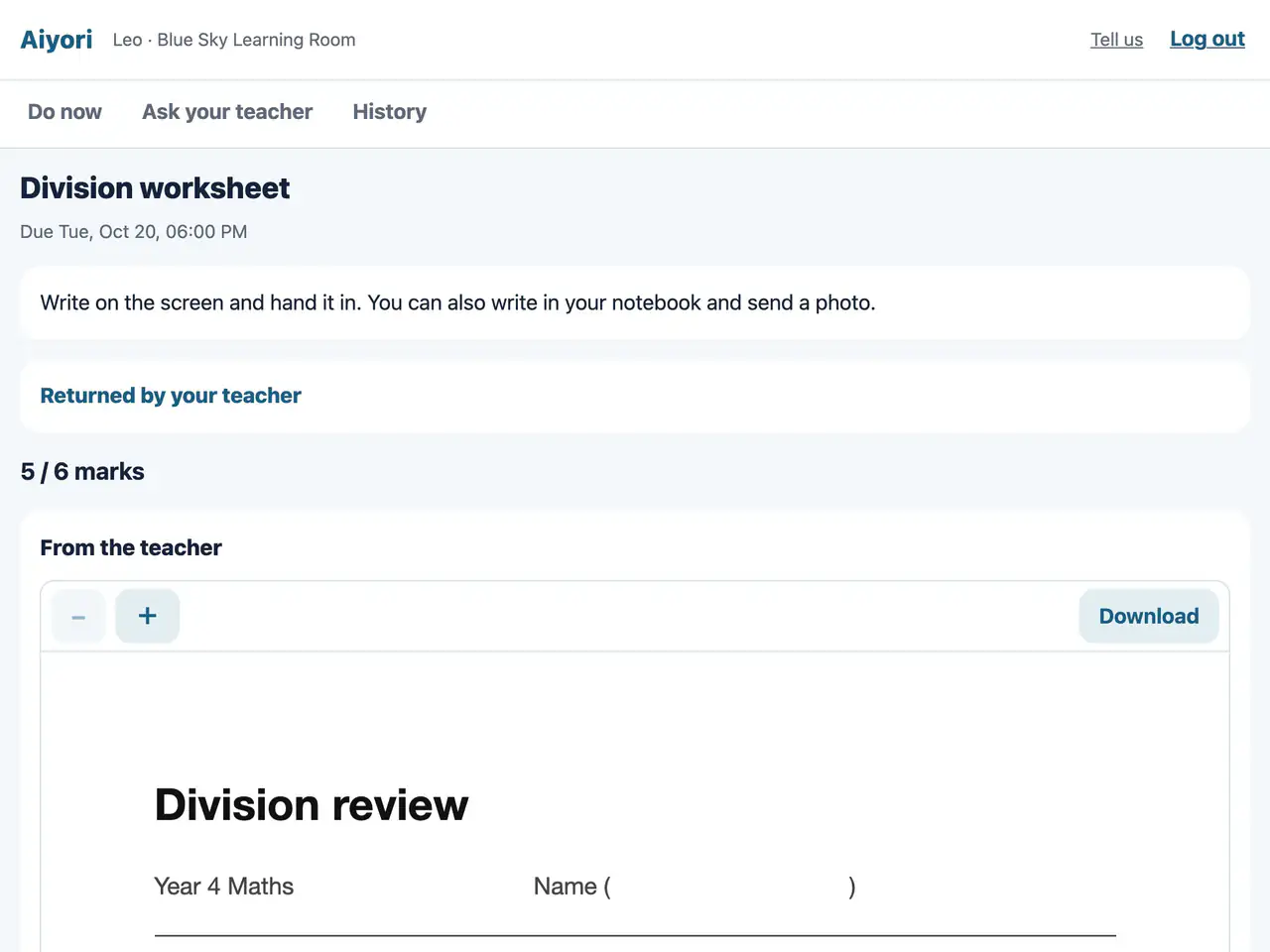
Returned
Web & appWork the teacher has returned appears in a separate section. Open it to check the red-pen marks and the teacher’s voice message.
If the teacher asked for a redo, you can hand the work in again.
Automatic grading for questions
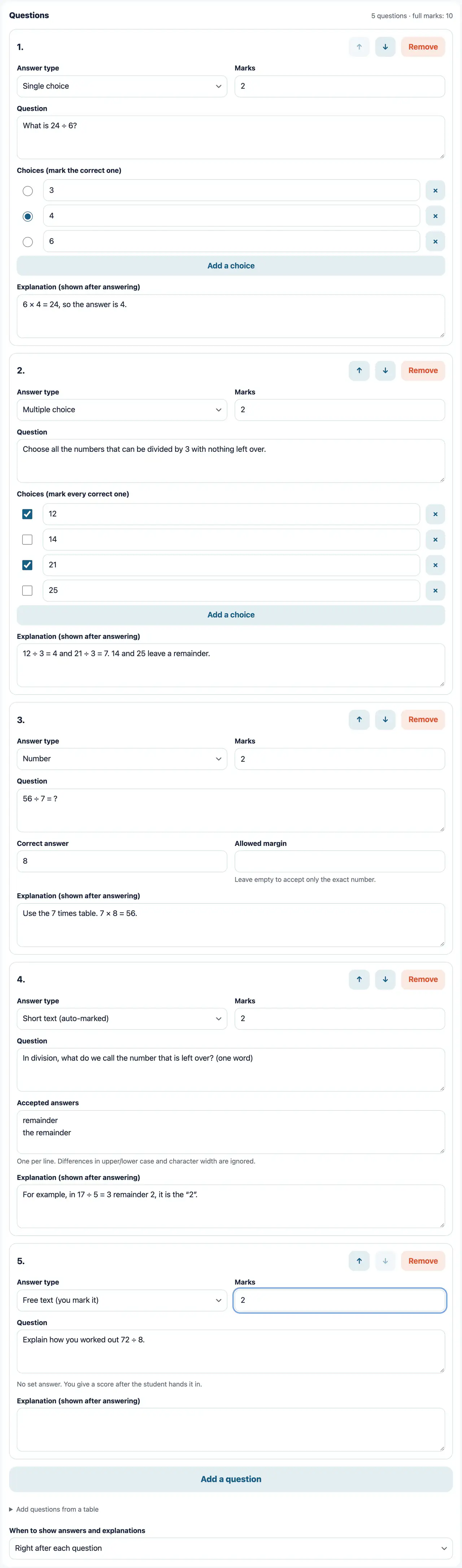
Questions (writing questions)
WebThere are five answer types: single choice, multiple choice, number, short text and free text. You can set marks and add an explanation. Choice, number and short-text questions are graded automatically. You can also attach a YouTube video, so students answer while they watch.
Up to 50 questions per assignment. Only “Free text” questions are graded by the teacher.
Automatic grading
Web & appChoice, number and short-text questions are graded the moment the student answers. The teacher’s screen shows the answer to each question, whether it was right, and the time taken.
Grading free-text questions
Web & appRead the written answers one by one and give each a score within its marks.
Families see the same thing
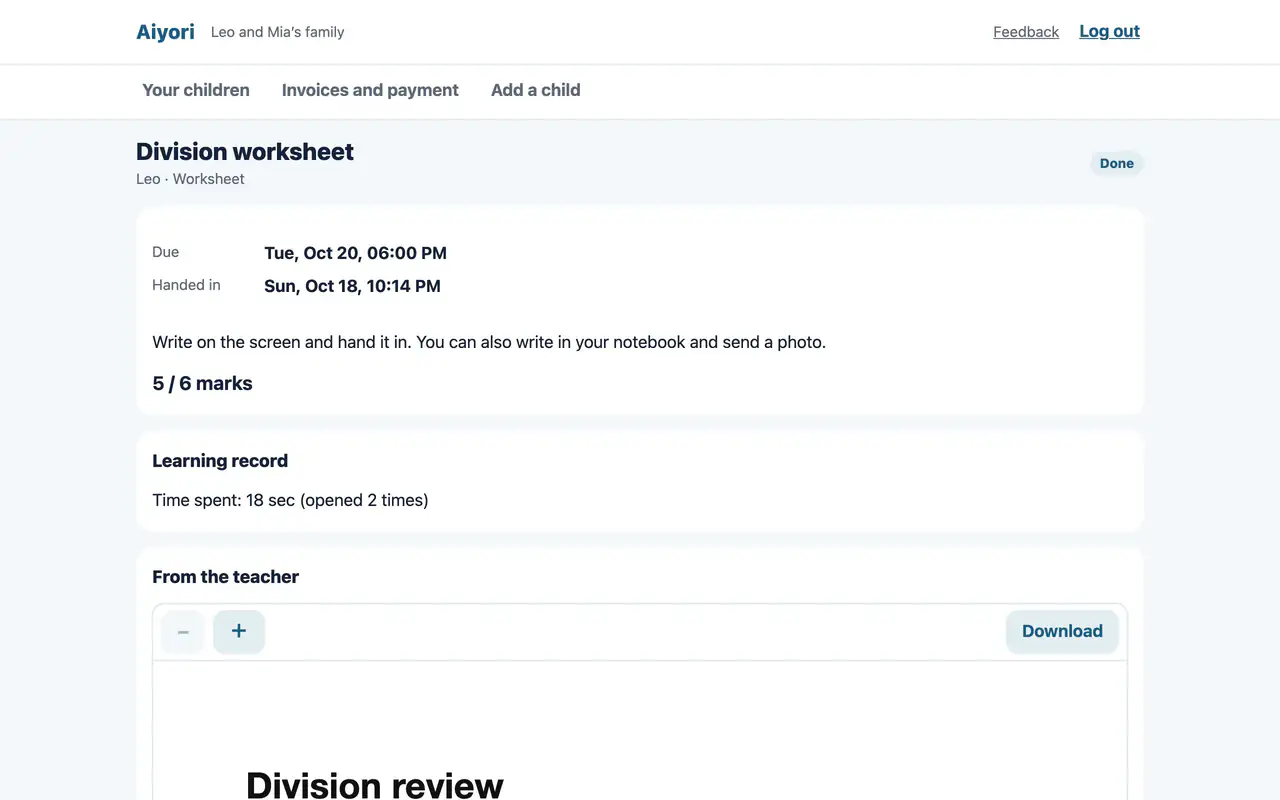
Assignment details
Web & appSee the submission, the score, the teacher’s comment and red-pen marks, the questions and your child’s answers, and the learning record.
View only. Nothing can be changed.
Start free
Free for 30 days after you create the classroom (organization). You don’t need to add a payment method during the trial.