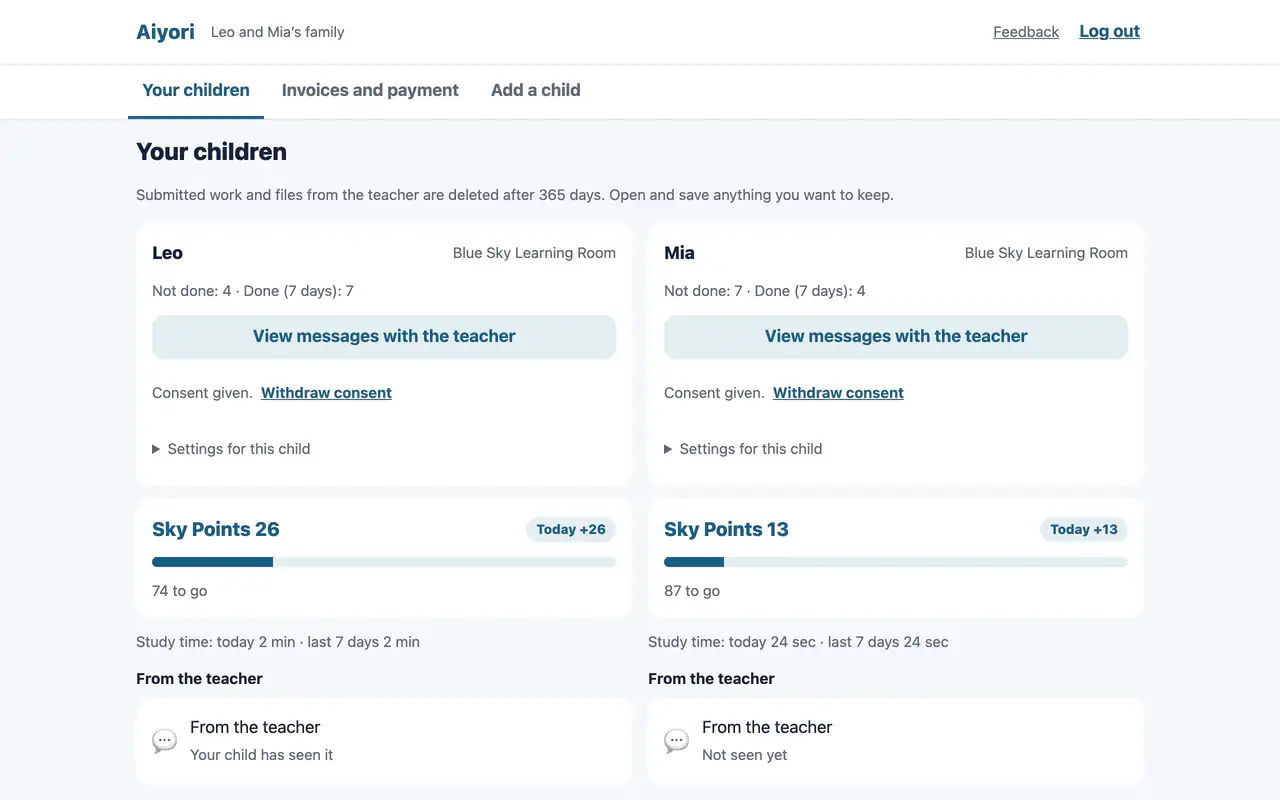
Done and not done, at a glance.
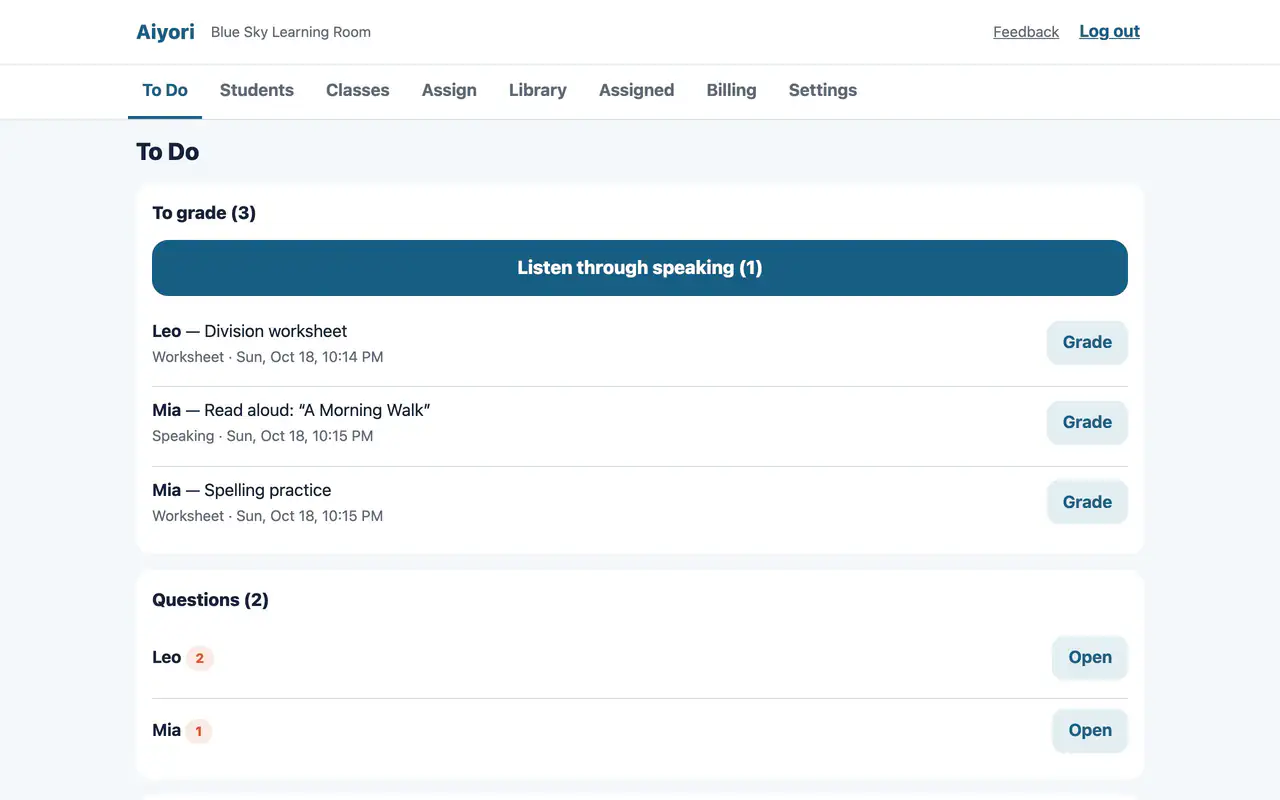
For each child, you see what is not done yet, what was done in the last 7 days, and study time. The teacher does not have to write anything. The record of what the child worked on and handed in appears as it is.

Features
Hand out videos. Collect homework. Message families. Taken one at a time, other tools do these too.
Aiyori’s strength is not the number of features. It is that guardians can see how their child is doing, without the teacher writing a report. And it does so without leaving teacher and child one-to-one.
Parents Can See
What a parent or guardian most wants to know is what their child is actually doing in class. Reporting it is also where teachers spend the most effort.
In Aiyori, the child works, hands in, and the teacher returns it, all inside the app. So that record reaches the guardian as it is. The teacher does not need to write a separate report.
The teacher’s comments and voice messages, once sent to the child, are visible to the guardian as they are.
For each child, you see what is not done yet, what was done in the last 7 days, and study time. The teacher does not have to write anything. The record of what the child worked on and handed in appears as it is.
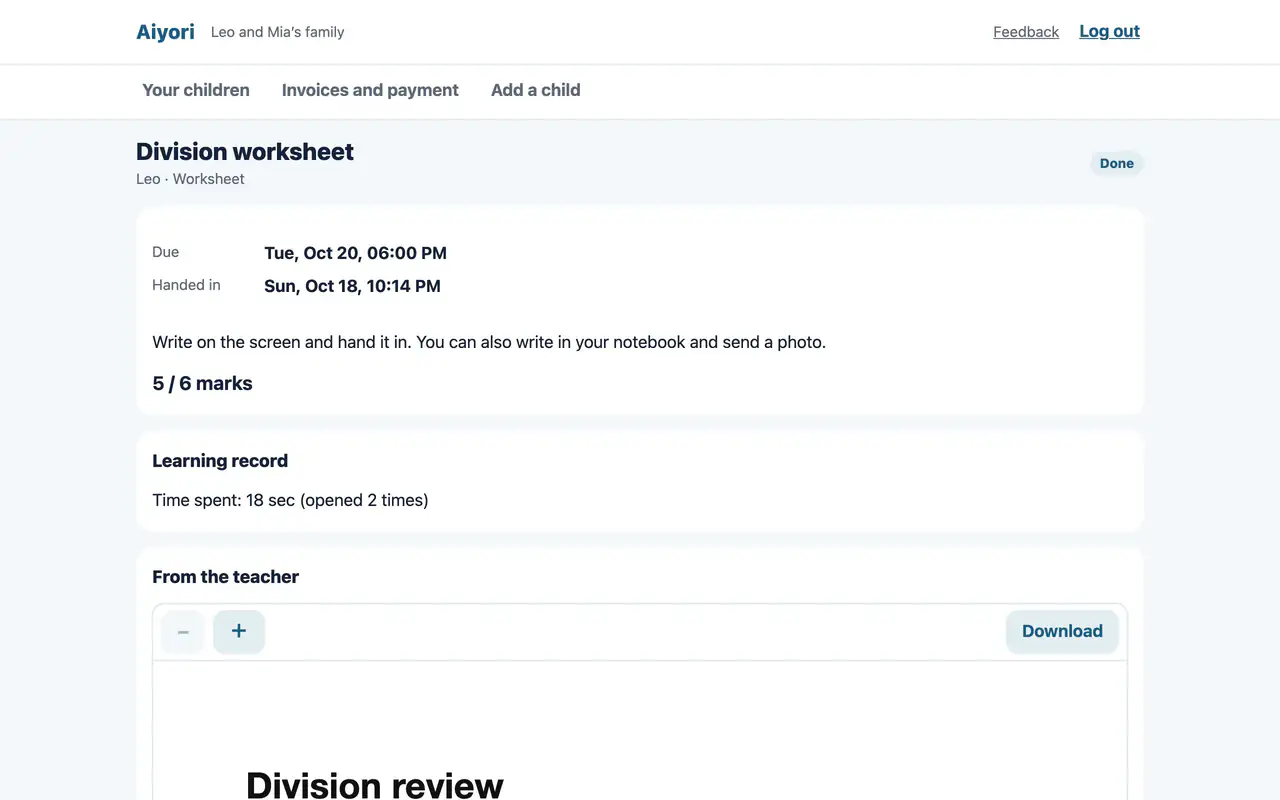
The red-pen marks on a returned worksheet, the score, the teacher’s comment. What goes back to the child, the guardian can open in the same way.
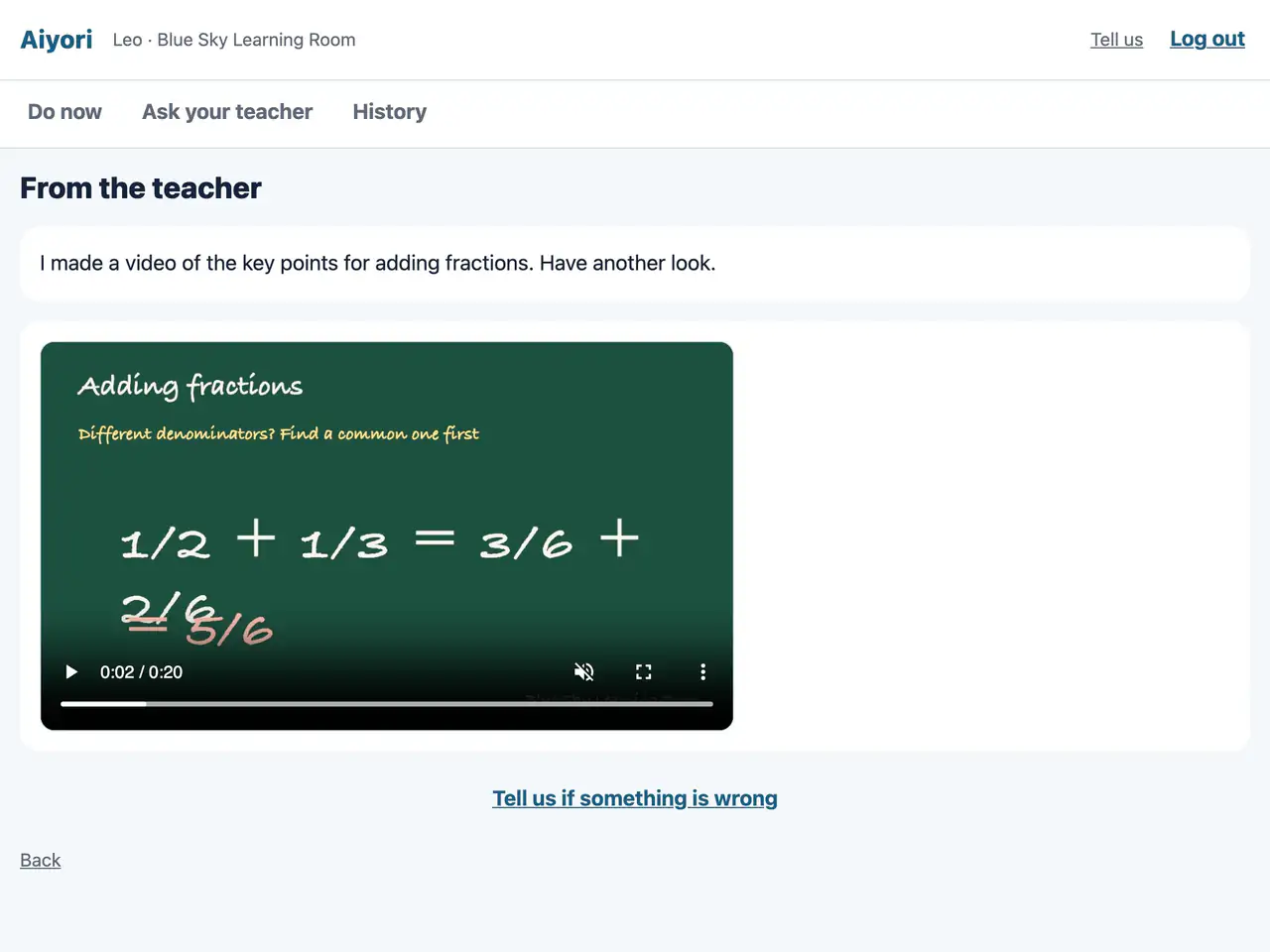
Voice messages and videos the teacher sends to a child also reach the guardian. You can also tell whether the child has seen them.
Each night, an email tells you what was done that day, what is still left, and tomorrow’s lesson. Even without installing the app, you can view it in a browser.
Why It Reaches Them
Why does it reach families without a written report? Because the whole learning cycle happens right here.
Skills don’t grow while listening to a lesson. They grow when you work it out yourself, have your mistakes corrected, and try again.
Aiyori was built to run this cycle on one platform. Videos, questions, handwriting, voice and the teacher’s red pen all live in the same place.
The teacher
The student
The teacher
The student and guardian
And on to the next assignment
Live & Recorded
For lessons on Zoom or Google Meet, just hand out the time and the link. They appear under the student’s “Do now” and can be joined from 10 minutes before the start.
Record a lesson and hand it out as a video, just as it is. Students who were absent can watch the same lesson later and answer the same questions.
For videos uploaded to Aiyori, teachers and guardians can see how far each one was played. No ads, and no recommended videos.
Never One-On-One
Elementary and junior high school students exchanging photos and voice recordings one-to-one with a teacher. It is convenient, but it is also worrying.
Guidelines from the Children and Families Agency (Japan), dated January 2026, list exchanging private contact details with a child and communicating that way as an example of inappropriate conduct. When contact is needed for work, they ask that it be kept from becoming one-to-one as far as possible, and that the parent or guardian be included as a recipient.
Aiyori is built in line with this thinking. Even in a classroom with a single teacher, you can show guardians: “This is how we do it here.”
Source: Children and Families Agency (Japan), “Guidelines for the Act on Prevention of Sexual Violence against Children” (January 2026) Original (PDF, in Japanese)
This does not mean that Aiyori has received any government accreditation or any certification from an organization.
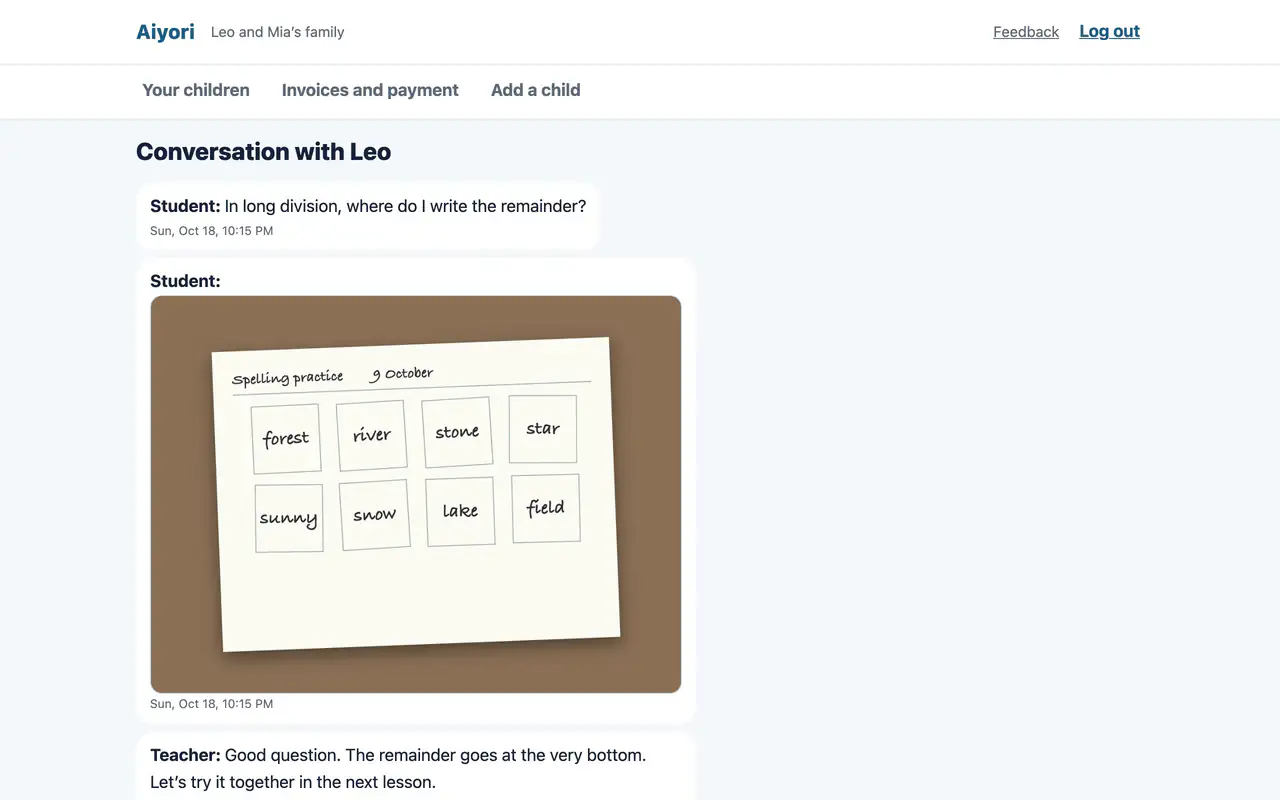
One-to-one messages between a child and the teacher are visible to the guardian as they are. If something is worrying, the guardian can stop the messages.
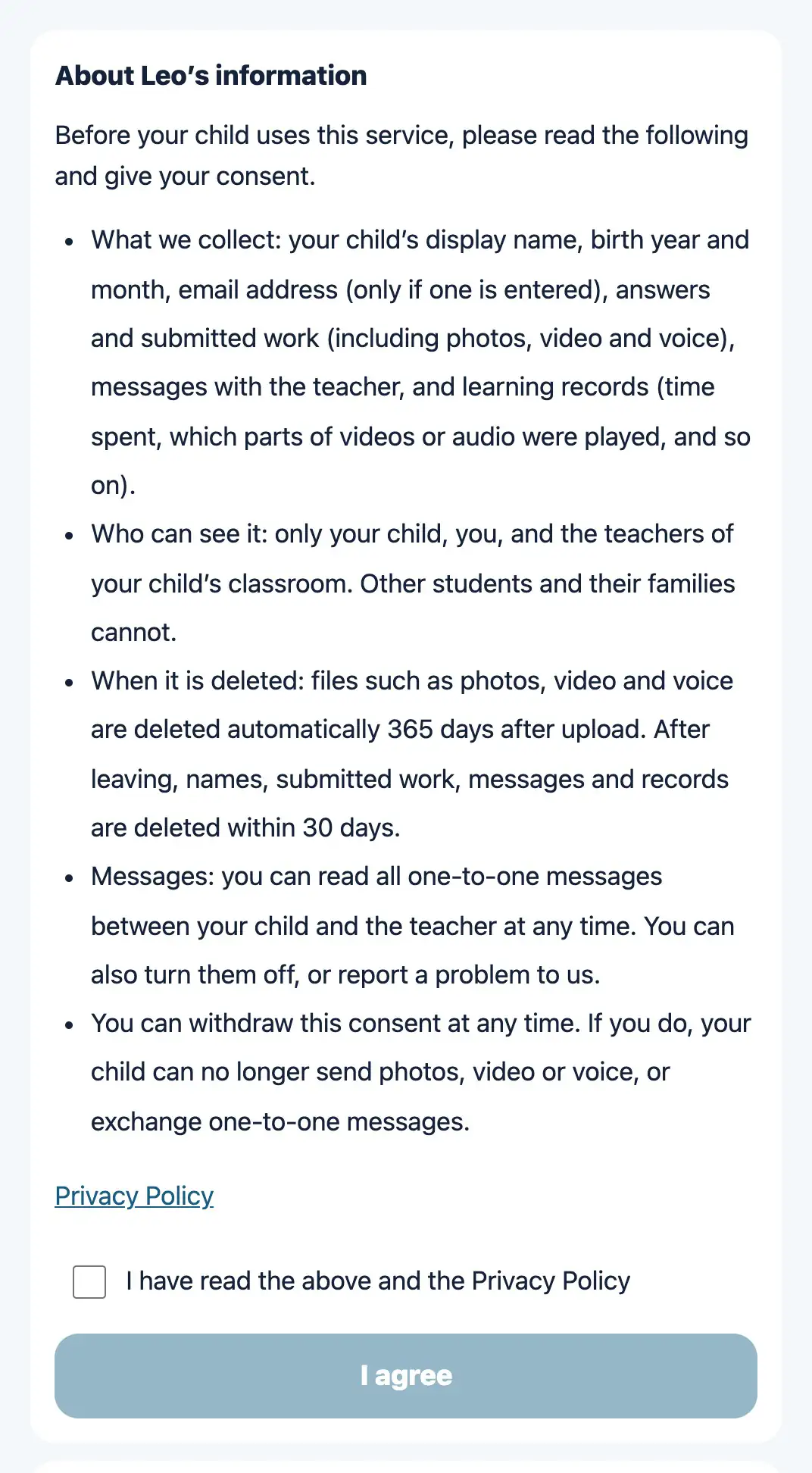
Students under 16 cannot hand in photos, videos or voice recordings, or exchange one-to-one messages with the teacher, until guardian consent is recorded.
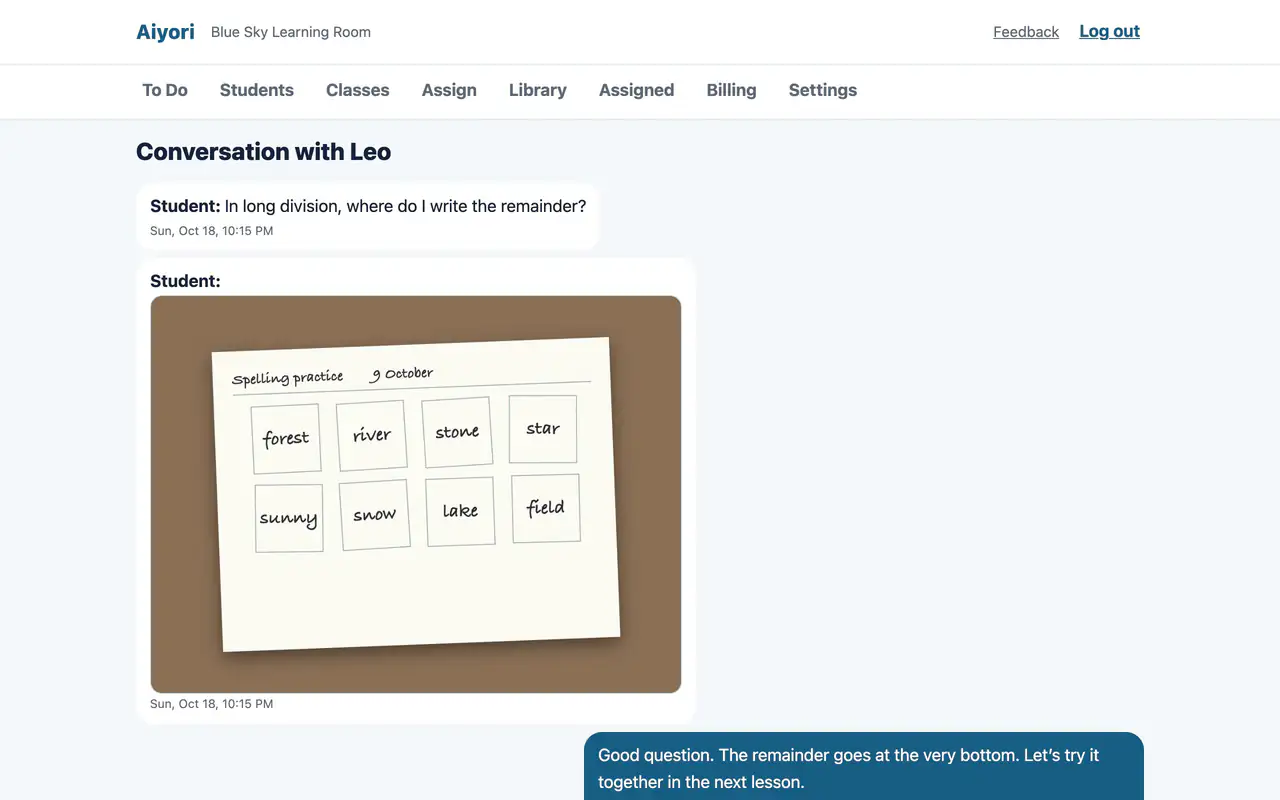
Contact with students and guardians all happens in here. There is no need to share the teacher’s personal phone number or accounts. No more being chased by messages at night or on days off.
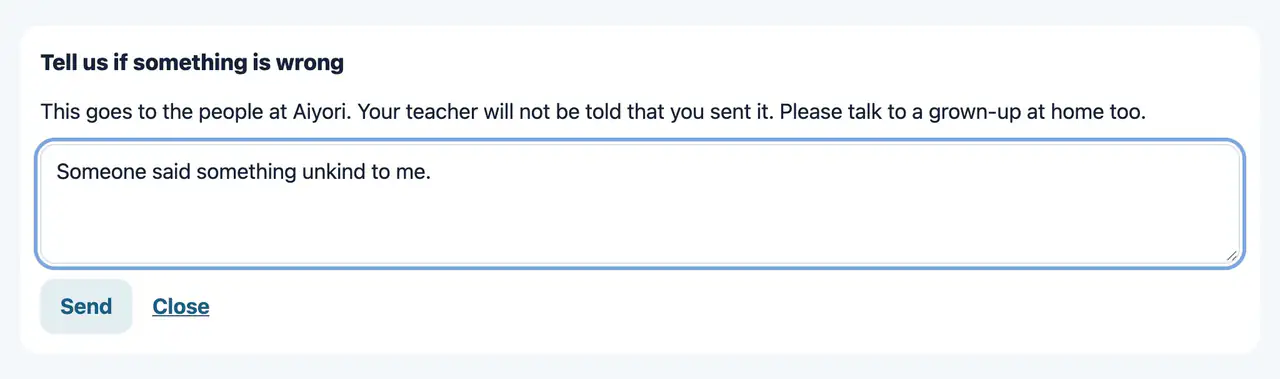
When something is wrong or upsetting, a child can report it to Aiyori from the screen. The teacher is not told about the report.
We deliberately did not build a way for students to contact other students. Messages are with the teacher only.
No ads. No paid features are pushed to guardians. Teachers never have to feel awkward toward guardians because of the tool they chose.
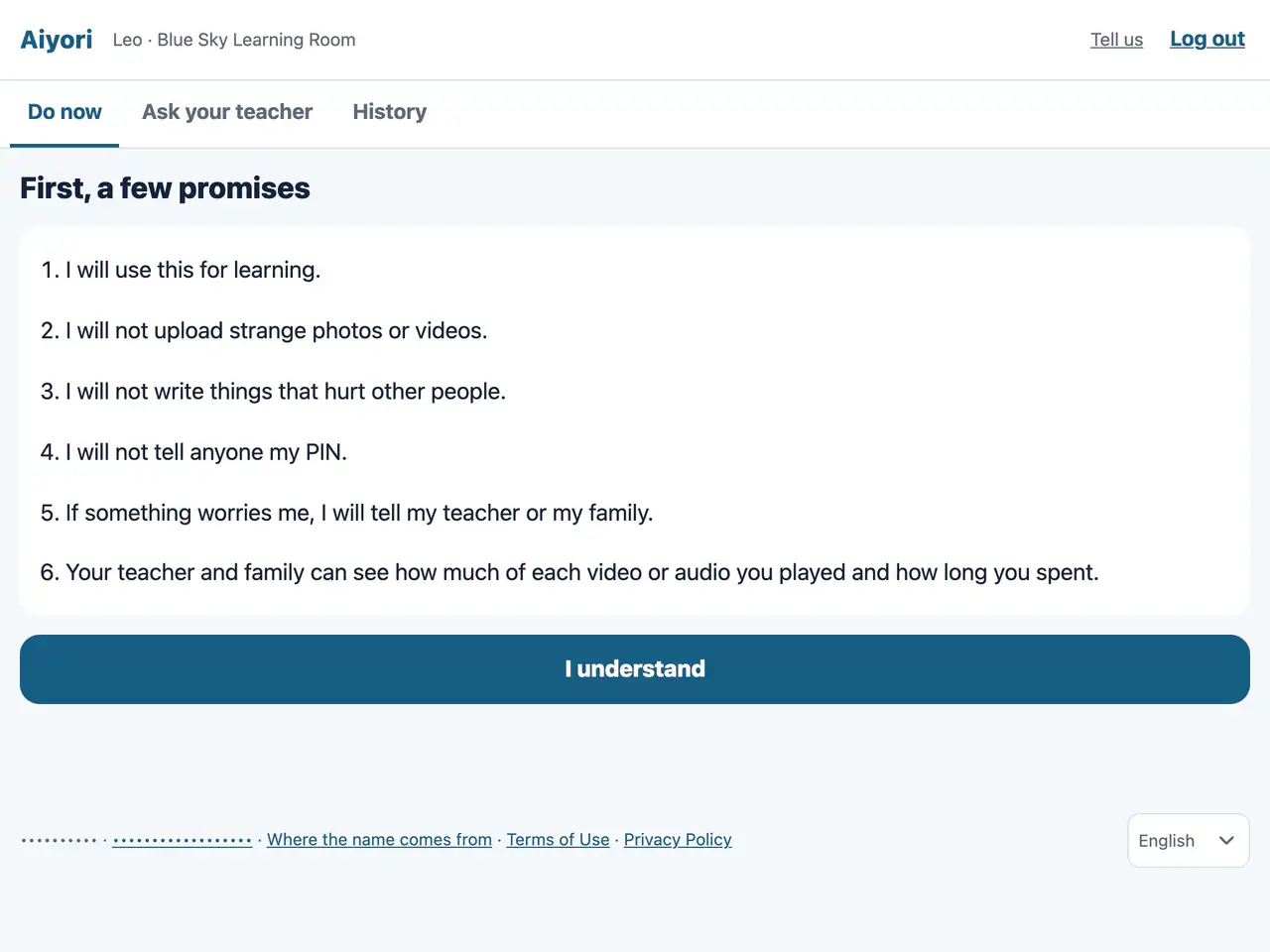
Before they start, children are told that the teacher and their family can see how far they watched and how much time they spent.
Marked answers can be looked back on for 365 days. After that, they are deleted automatically.
Start Alone
Many learning tools are contracts with schools or local governments. Many classroom management tools start with an inquiry and an application form.
With Aiyori, a teacher can sign up alone. Students get in without an email address, and guardians only enter an invite code. It is available in eight languages. Aiyori is available to classrooms in Japan, New Zealand, Hong Kong, Singapore, Australia, Canada and Mexico. For now, you can try it for free.
A classroom code, ID and PIN are issued. Students get in without an email address.
Give the invite code to the guardian. Siblings can be seen from the same account.
Videos, questions, worksheets, read-aloud, word cards, live lesson schedules. Choose from 11 types.
Messaging apps, video sites, meeting tools. Many teachers stitch these together themselves.
| What is compared | A messaging app combined with a video site | Aiyori |
|---|---|---|
| Reports to guardians | The teacher writes it up after the lesson and sends it. | The record of what the child worked on and handed in, and what the teacher returned, is visible to the guardian as it is. |
| Marking homework | Receive a photo, write on it in another app, send it back. | Mark the handed-in worksheet in red on the spot and return it. |
| Teacher–child contact | One-to-one, on the teacher’s personal account. Guardians cannot see it. | The teacher’s contact details are not shared. Guardians can read every message. |
| Lesson videos | Unlisted on a video site. No way to tell whether it was watched. | Only the students it was handed out to can watch. You can see how far they watched. |
| What to do | The child searches for it among messages that scroll away. | Open it, and today’s tasks are lined up in order. |
| Tuition | Cash in hand or bank transfer. The teacher has to chase late payments personally. | Each month’s invoice is created automatically, and the guardian is told by email. Late notices are automatic too. |
Not Found Elsewhere
We checked the official pages of 28 services in Japan and abroad, and did not find an equivalent of these features. Each one came out of the daily life of one teacher’s classroom.
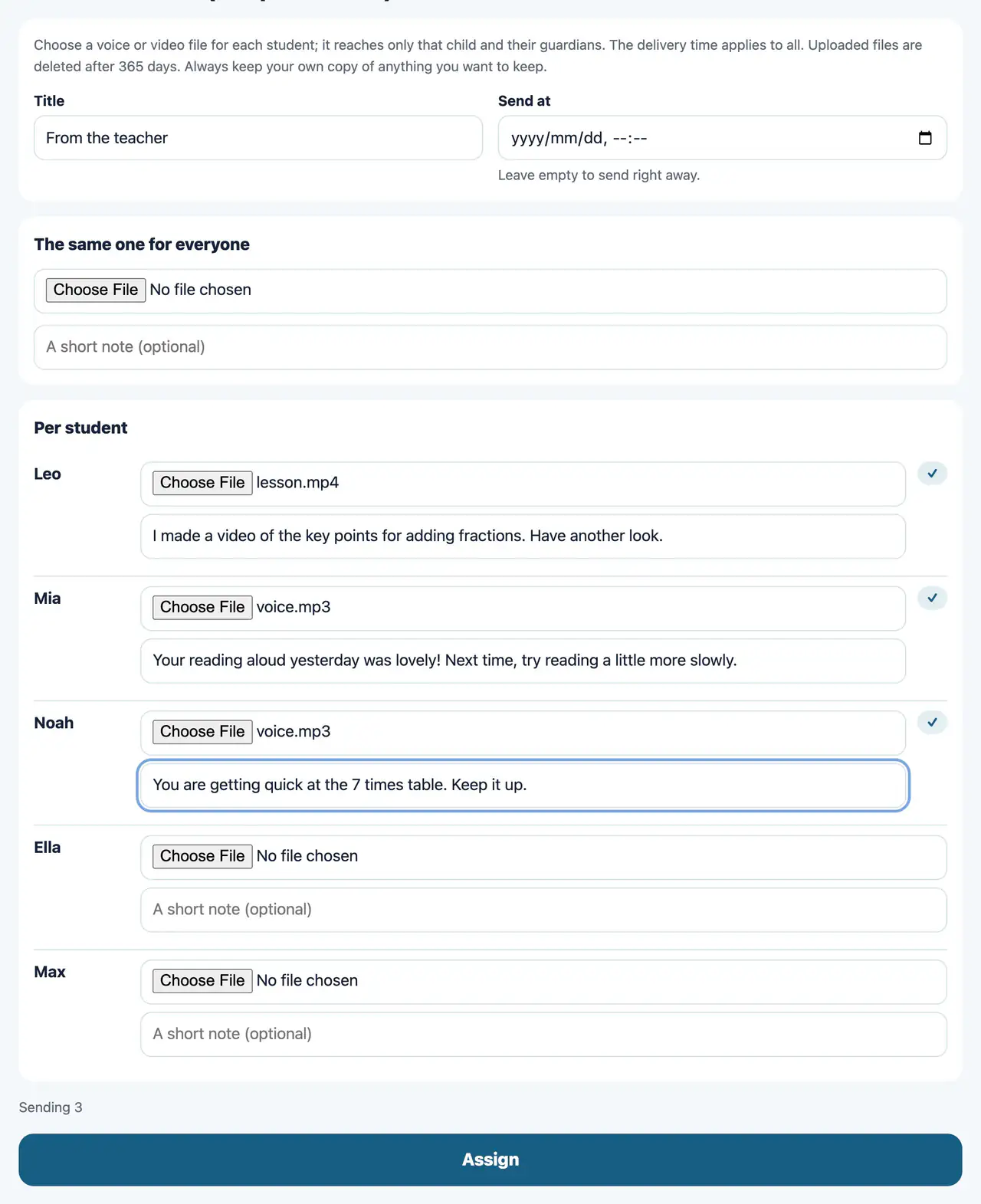
Send each student their own voice message and comment, all from one screen. It gives shape to what a teacher does every morning: speaking to each student in turn.
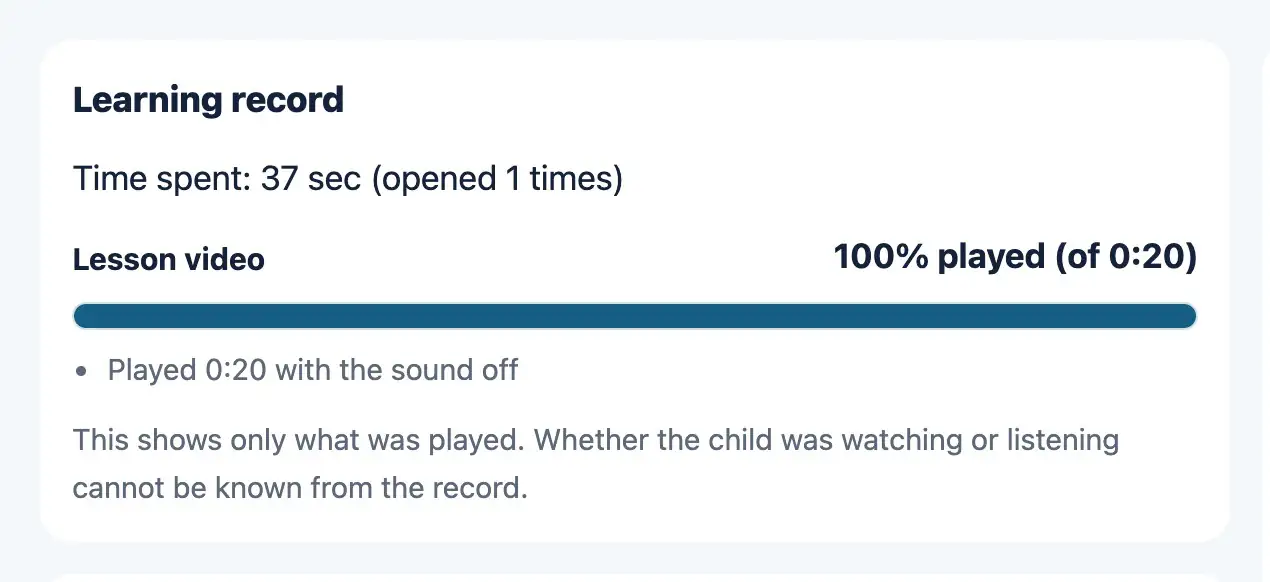
Not only the share that was played, but the number of skips, the time on mute, and the number of times the screen was left. Guardians see it too, not just the teacher. We also state that this shows only what was played, not whether the child was actually watching.
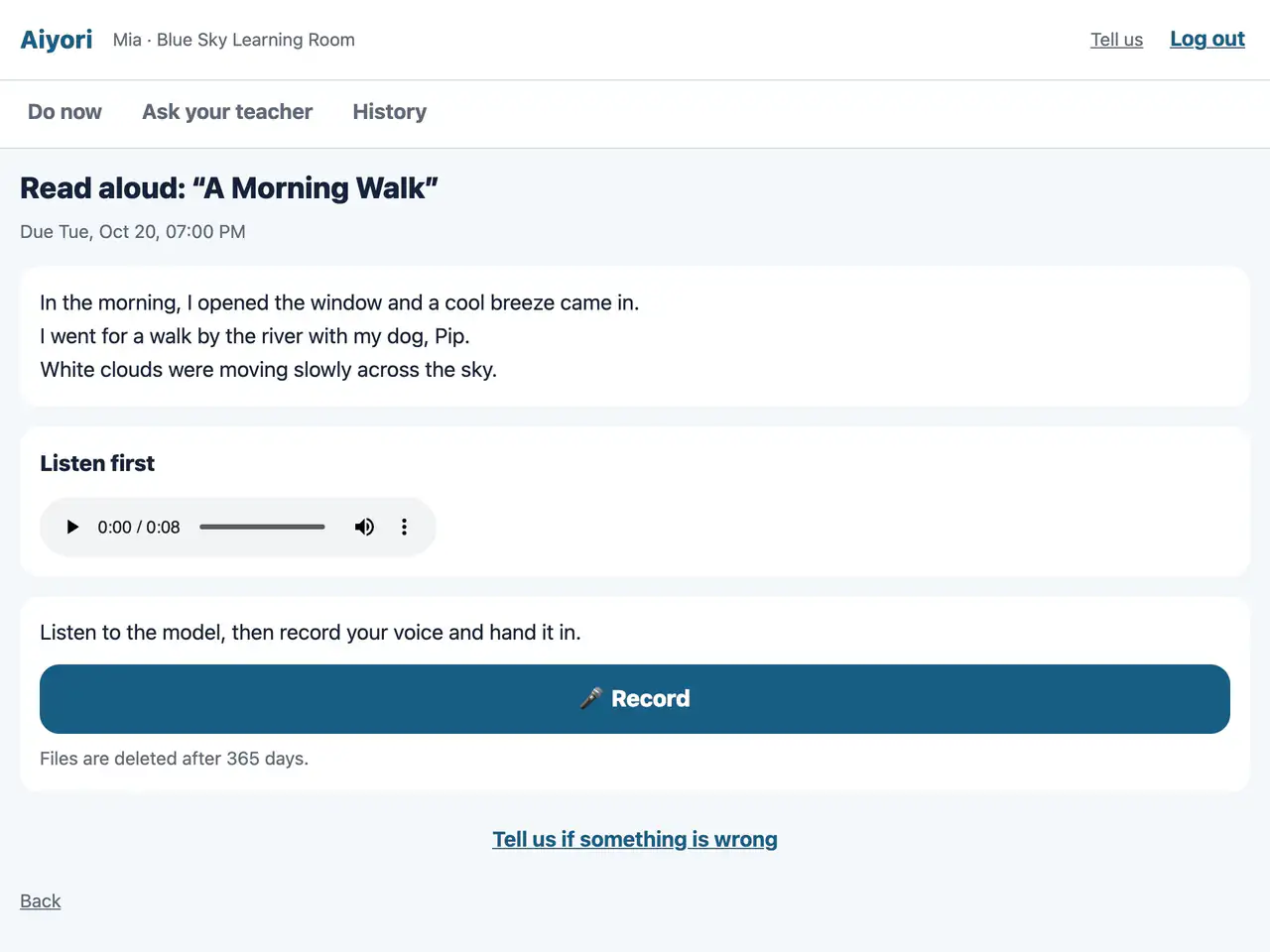
Listen to the model, record your voice, hand it in. The teacher listens, gives a score and returns it. Reading aloud is an assignment of its own.
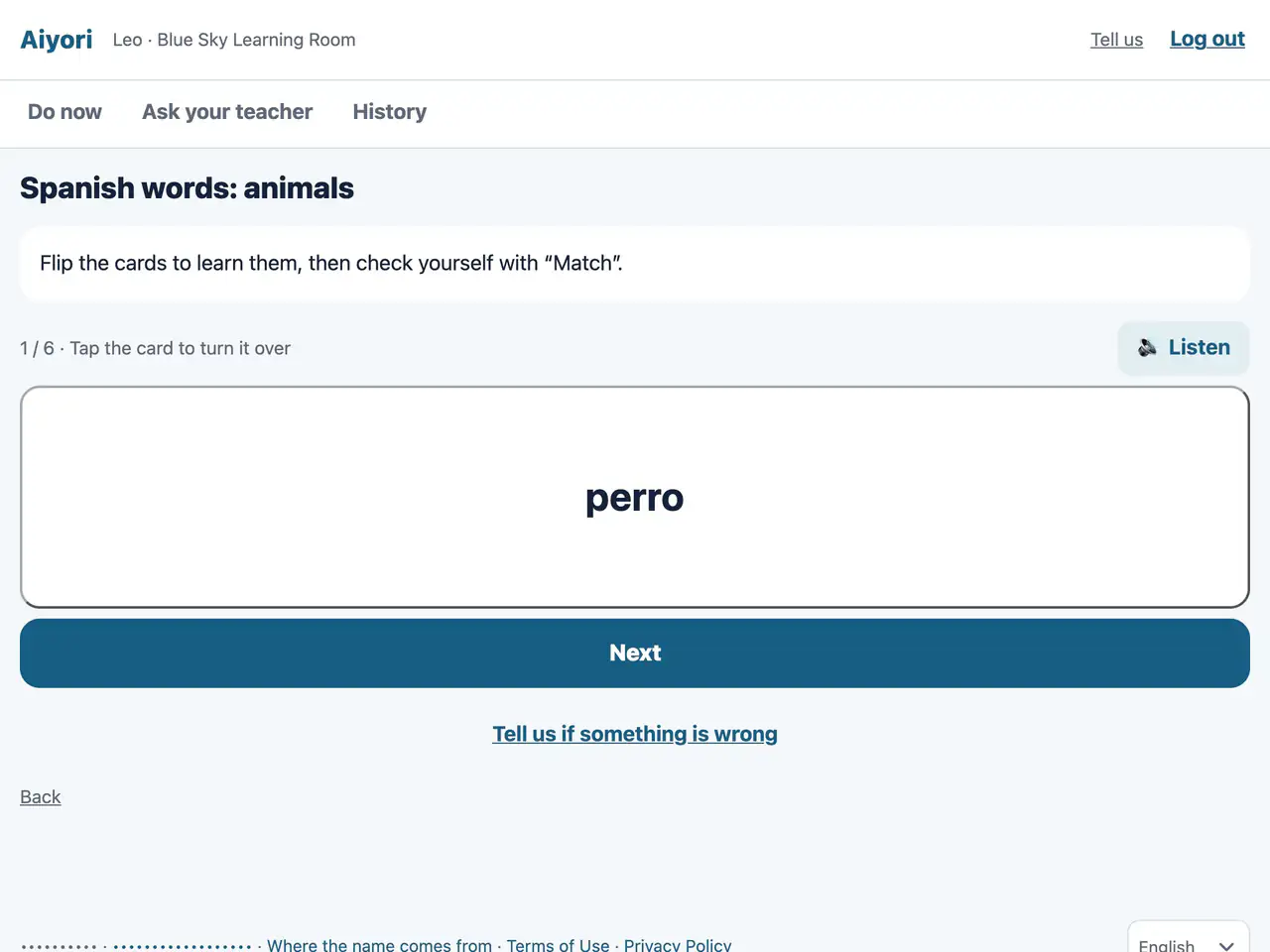
Just enter the word and its meaning, and an automatic voice reads it out. Students practice by flipping and matching, and the teacher sees how many times they practiced.
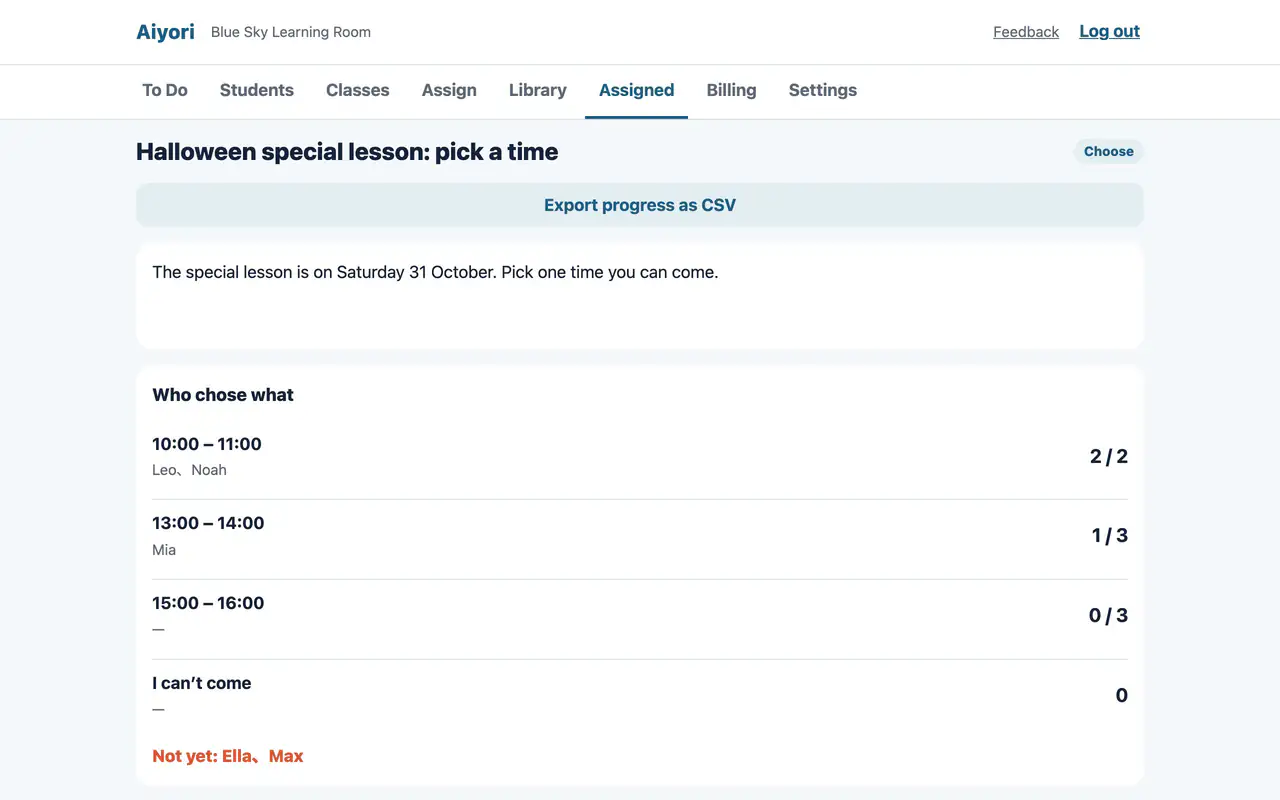
Send guardians slots with a set capacity, for meeting dates or make-up lessons. They do not appear on the child’s screen.
When tuition is late, the guardian is reminded by email and notification, up to three times. If payment still does not come, the teacher decides whether to suspend the student. Nothing is suspended automatically.
Based on our own research as of October 2026. These are features for which, as far as we could find on each company’s official site, help pages and pricing pages, no equivalent was described. Companies may have features they have not made public.
Compared
We first surveyed more than 100 services in Japan and abroad, then checked the official pages of the 28 closest ones, one by one. The table below groups the tools into kinds, by who buys them.
Learning tools have no guardians and no tuition. Classroom management tools have no learning.
| What it does | Learning apps for schools | Video and course delivery tools | Classroom admin and messaging systems | Tutor business software (overseas) | Aiyori |
|---|---|---|---|---|---|
| Hand out lesson videos you recorded yourself, with no ads | Mostly | Yes | Only some services, or needs a workaround | Mostly | Yes |
| Mark handwritten submissions in red pen and return them | Yes | Not found in what we checked | Not found in what we checked | Only some services, or needs a workaround | Yes |
| The teacher explains directly, by voice or video | Mostly | Not found in what we checked | Not found in what we checked | Only some services, or needs a workaround | Yes |
| Show guardians, too, how far each video was watched | Not found in what we checked | Only some services, or needs a workaround | Not found in what we checked | Not found in what we checked | Yes |
| Guardians can read, and stop, messages between child and teacher | Only some services, or needs a workaround | Not found in what we checked | Not found in what we checked | Not found in what we checked | Yes |
| Photo and voice submissions stay off until a guardian consents | Only some services, or needs a workaround | Not found in what we checked | Not found in what we checked | Only some services, or needs a workaround | Yes |
| Tuition bills and payment status | Not found in what we checked | Not found in what we checked | Yes | Yes | Mostly |
| An independent teacher can start alone | Only some services, or needs a workaround | Yes | Only some services, or needs a workaround | Only some services, or needs a workaround | Yes |
Based on our own research as of October 2026. For each kind, the mark reflects the best of the services we checked. Where we found no mention on the official pages, we marked “×”; individual services differ. Aiyori’s tuition supports card payments (received in the teacher’s own Stripe account) as well as recording bank transfers and cash.
What We Don't Do
Lessons and materials belong to the teacher. Aiyori stays the vessel that delivers them.
Tuition goes directly from guardian to teacher. We do not step in between and hold it.
Grading and tallying are automatic. But reading a child’s thinking and answering in words is the teacher’s work.
No recommended videos, no notifications designed to pull them back. When today’s tasks are done, it says “All done for today!”